Skip to content

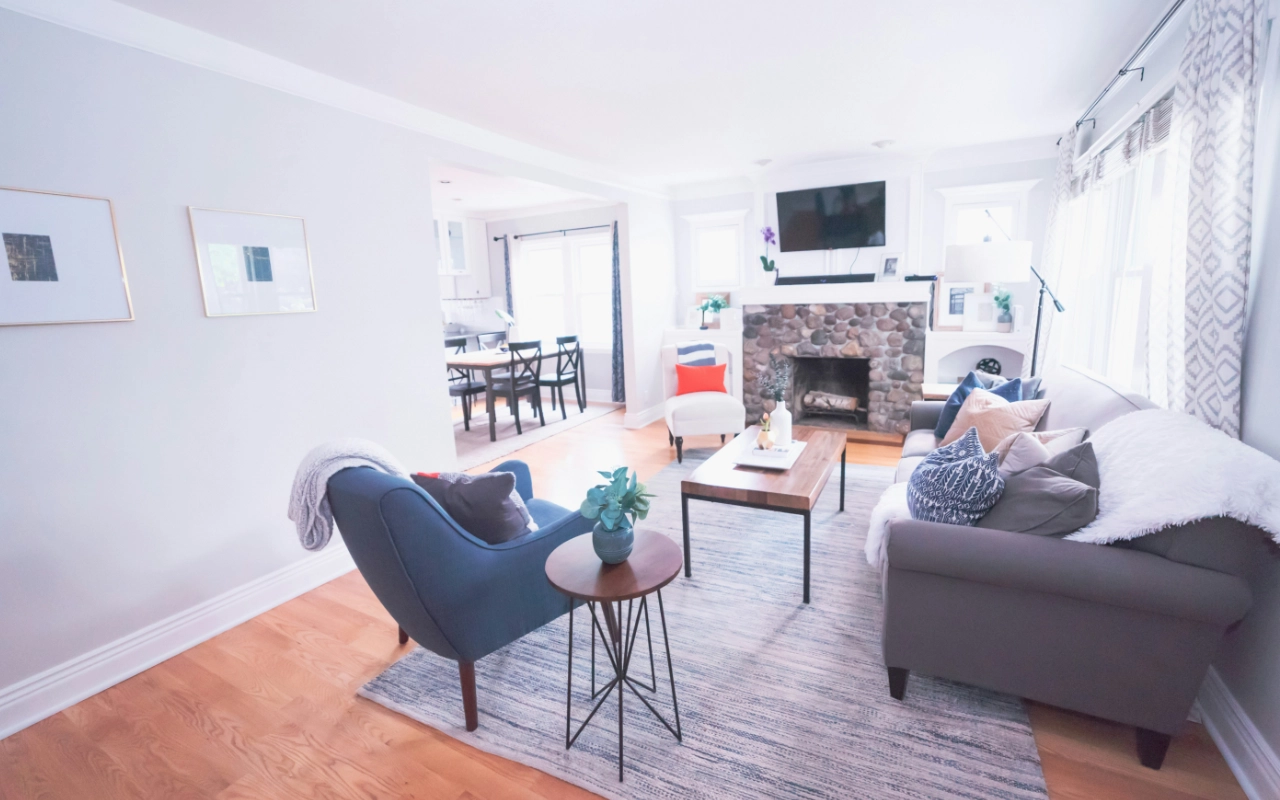
In today’s post, I’m going to show you everything you need on how to make your house a smart home. I’ll make sure you understand what you need to be successful and what you can do with all of these products. This will get you pointed in the right direction no matter who you are and what technical capability you have.
Three Goals Every Smart Home Should Hit
After years of experience building a smart home, I know what most people should do; and more importantly, what not to do. So before we get into anything else, let me share three simple goals that I think your ideal smart home should hit.
- Goal 1: It should be invisible. Working so seamlessly in the background that you forget it’s indeed there.
- Goal 2: High spouse approval. Basically, anyone living in your house or guests visiting should not be annoyed by your smart home.
- Goal 3: Long-term reliability. You don’t want it breaking a few months down the road and turning into a time and money pit.
Everything I’m going to cover today ties back to those three goals. Keep them in mind as you make. These goals are essential if you truly want to understand how to make your house a smart home.
What Can You Actually Expect From a Smart Home?
This is one of the biggest misunderstandings today; expectations don’t mirror what can actually happen, and it’s really hard to nail down at any specific time as the industry as a whole shifts very quickly. New ideas are being brought to the market all the time too.
However, there are some basic things that you can expect out of every home outfitted with smart technology.
1. It saves you time.
The most important thing for me is that a smart home saves you time. Items like smart lawn mowers, smart vacuums, and smart mops save us the most time. These can take tasks that take us a half an hour or more every week and turn them into tasks we don’t have to do at all.
Not all smart technology is going to save you time, but what I love is when my home and life becomes less complex to manage. When done correctly, you don’t have to think about your lights coming on and off at the right times. You don’t have to worry that you’re bleeding money through power usage. And you don’t have to worry about whether or not your home is safe and secure.
2. It improves safety and security.
A smart home can include many devices that improve your security, and you can either self-monitor that or you can pay someone else to monitor it — just like any other security system. You can have a package delivered into a secure box on your front porch after a short conversation with a delivery person. You can also have them deliver it inside your home with the right smart door lock and video camera combination.
3. It gives you environmental control.
Smart thermostats respond and manage homes more efficiently as they know when people have left and don’t use energy that isn’t necessary. Even better, smart thermostats can work with additional sensors in rooms in your home to better balance the heat or cooling energy you are spending. You can also get different kinds of environmental control including humidity control, air quality, lighting control, and more — all in an automated manner.
4. It creates convenience and better experiences.
It’s late at night, you don’t want to get up, but you need a light or you need something to change. Smart buttons more conveniently placed can be a big help. Smart homes can also provide improved experiences through giving you scenes or moods to set with loads of smart products working together. This is especially true when you integrate Smart TVs, smart streaming sticks, specialized lighting products, and environmental controls all together.
How you’re going to Control It (And What Most People Get Wrong)
One of the most important corridor about erecting a smart home is knowing how you are going to control it. And this is where a lot of people go astray right out of the gate.
1. Don’t rely on voice commands for everything.
You might think — oh, I’ll just put a bunch of smart speakers around the house and use voice commands for everything. This might seem like a good idea when you’re first starting. I know that’s what I did when I first started. But now? I hardly even speak to these things. It’s delicate and cumbrous to flash back what to say. That’s not really in line with seamlessly running in the background and being family-friendly. Perhaps just a sprinkle of voice commands you use on the settee is more reasonable.. I mainly use smart speakers to listen to music and play voice notifications.
2. Don’t control your smart home through a bunch of individual apps either.
It’s just too much. Only use those individual smart home apps to occasionally adjust settings. Trust me.
3. The better way is a unified dashboard.
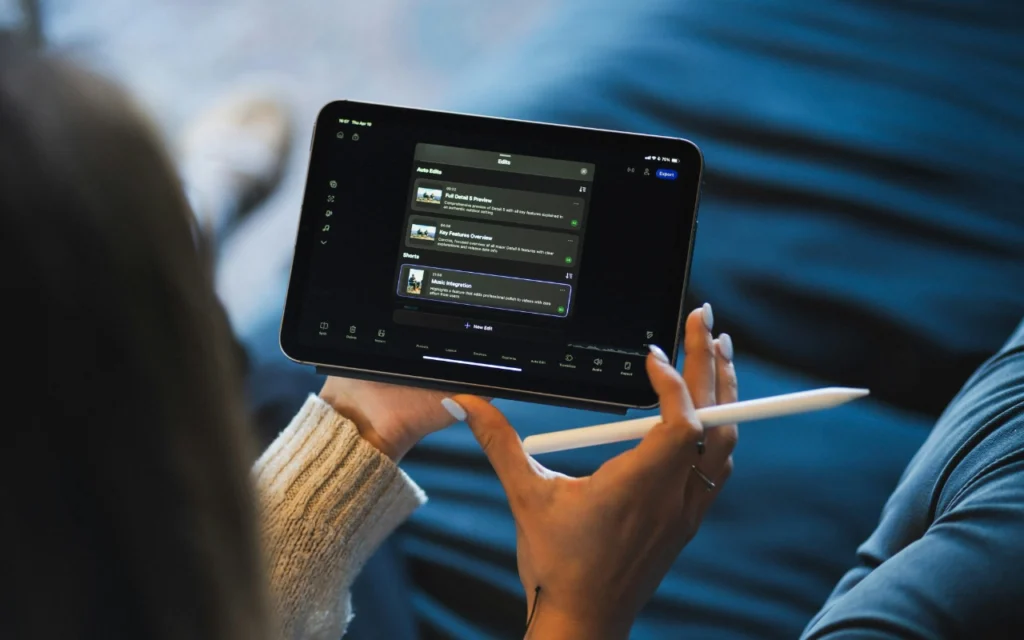
This combines all your smart devices so they’re organized in one spot. You can quickly pierce them on your phone, or family members can control effects on a participated tablet. There are always going to be times where you need to manually control something, and a dashboard just makes that so easy.
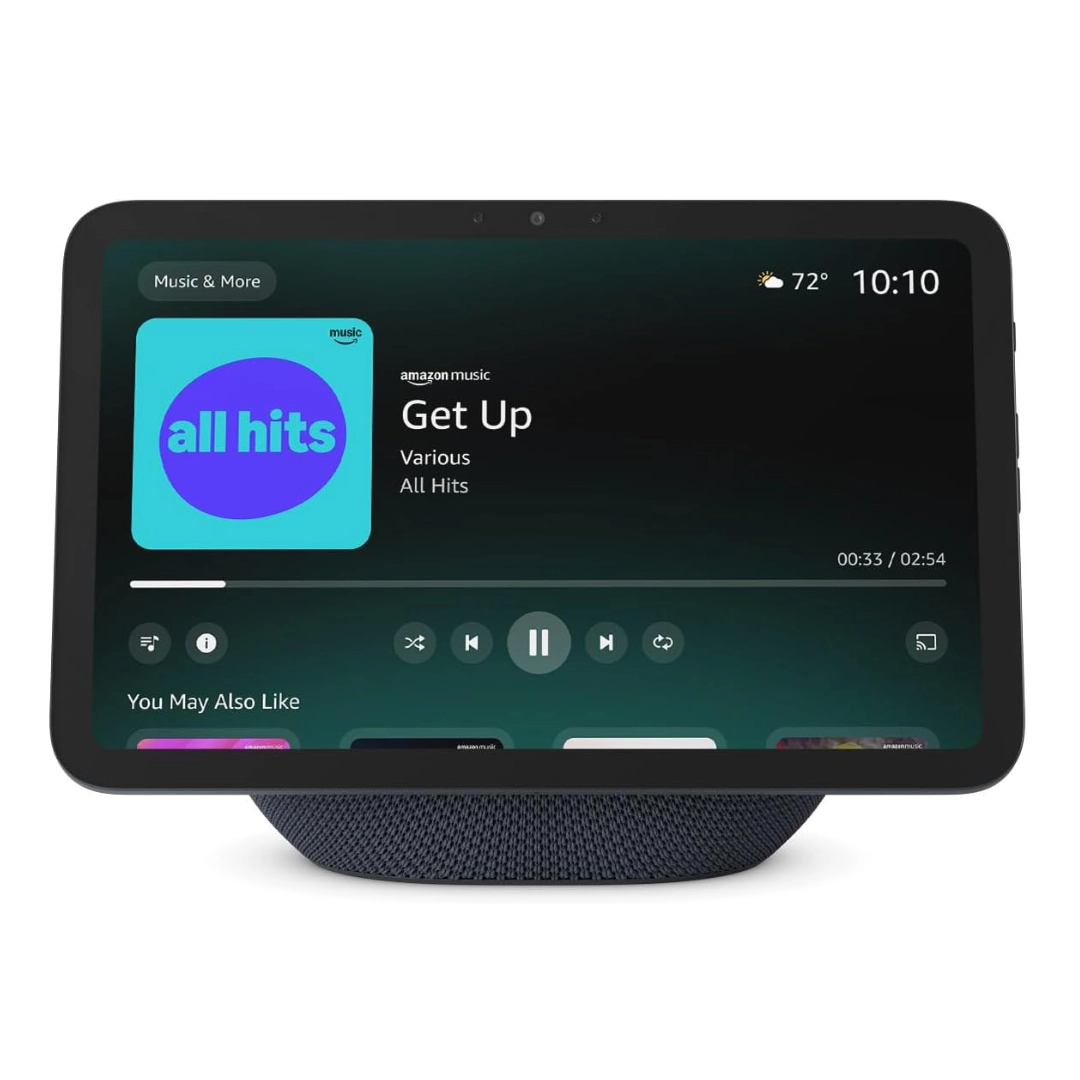
A smart screen that allows you to manage your whole smart home on a single display. Excellent dashboards, voice control, and automation.
4. But the ideal way to control your smart home is with sensors.
They make it so you can go about your day while your smart home adjusts based on your everyday activities; like walking into a room, using a kitchen counter, or the garage door opening. Sensors make it possible to hit all three of those pretensions for the ideal smart home. When you suppose of smart home sensors, you might suppose of the classic contact and stir detector but it goes beyond that. Many of these sensors can actually be other smart home devices. For example, if the doorbell detects a person, your smart home can do an action.
5. The last way to control your smart home is with smart buttons.
These are for weird corner cases where you want something to happen quickly. Like the button in our bathroom that sends the robot vacuum to clean that specific room. The timing of that is sporadic, so sensors wouldn’t work. I do not want to flash back a voice command, and I do not need a full- on dashboard in the bathroom. A smart button is a perfect solution for situations like this.
How Does a Smart Home Actually Work?
I’ll start with an oversimplification of things, but then we’ll get deeper. The first thing to understand is what an automation is. We would define it as something happening after an event occurs; it’s cause and effect.

The Anatomy of an Automation
An automation starts when a specific event occurs. We call that event a trigger. Once that trigger occurs, a device; whether it’s a smart speaker, a hub, or another processor; recognizes this event as having occurred. That event is a signal to your hub that something else needs to occur. We call that effect in our cause-and-effect relationship an action. In almost every case, you can have multiple actions happen.
For example: let’s say you arrive home and you want to unlock your door and turn your thermostat to 72°F (or 20°C). You arriving home is the trigger event, and your chosen actions are changing the thermostat and unlocking your front door.
But let’s say you only want that to happen if you arrive home before the sun has gone down. We would call this second requirement a condition. In many hubs and systems, you can have multiple conditions, and you can choose for all conditions to be true in order for an automation to run; or just one of them.
Some automation systems will let you only do one condition while others will let you do many. The differences get deeper between systems, hubs, and the devices you buy. This is one of the moments in your journey that really matters — when you buy the wrong thing, you’ll be disappointed.
The Hardware Behind the Magic
In this example I’m going to use a motion sensor. Seeing motion is a trigger event in most cases. You can even use a motion sensor not seeing motion as your trigger event. Even better, in some systems you can use your motion sensor not seeing motion for a time period as your trigger event; which is kind of like having a trigger and a condition.
That motion sensor uses some form of technology to do its job. For most modern motion sensors, that is passive infrared technology; in a simplified way, it senses heat in its viewfinder, sort of like Predator but less cool.
Once it has sensed motion, its job is to report that. There are many wireless communication technologies today that could be used by the motion sensor to send that out.
The next component is best described as a controller because it is really what is managing those trigger events, those conditions, those actions. Everything has to be connected to it in one way or another in order for it to make what you want happen. Controllers will often be called a hub, smart speaker, border router, Wi-Fi router, and more. Whatever your controller is, it acts as the brain of your home.
Wireless Communication Technologies
Most of your smart home will communicate wirelessly. The terms you will hear are Wi-Fi, Zigbee, Z-Wave, Thread, Bluetooth, and these days in an ever-increasing amount, you will hear something called Matter; which is actually just a way to use some of those technologies in what is being touted as a consumer-friendly way. The jury’s still out there.
Wi-Fi is pretty self-explanatory, but the other three; Thread, Zigbee, and Z-Wave are their own protocols. They build out mesh networks of devices to expand across your house and not clog up your Wi-Fi bandwidth.
One thing to watch out for: if you go with a smart home system that’s only compatible with Thread, you could bump into some problems. Thread is still fairly new, so you might run into more issues than you would with something like Zigbee. Many Thread devices also cost more than their Zigbee counterparts. Besides Wi-Fi, the majority of devices in my house are Zigbee. It gives me the widest selection, lots of affordable options, and it’s been veritably dependable.
The Main Components of a Smart Home
Here is a breakdown of the major components of a smart home.
Modem and Router
The modem was provided to you by your internet service provider. It takes the cable from the outside world and turns it into an ethernet cable. Your router is often one of the most overlooked and important components of your smart home. If you’re having issues, check this guide on wifi keeps disconnecting. If your Wi-Fi coverage off that router isn’t good enough, you might buy a Wi-Fi extender or better yet, a mesh Wi-Fi system.
And while we’re on this topic; I see comments all the time saying avoid Wi-Fi devices at all costs. I don’t agree with this. If you have a good router and multiple Wi-Fi access points to cover your house, or even a good mesh Wi-Fi system, then you’ll be just fine. My smart home Wi-Fi devices stay connected and can still work without the cloud. I recommend not skimping out on your Wi-Fi system. Think about how much your family relies on it with all their devices; you don’t want Wi-Fi problems. You can also fix common issues here: Wifi connected but no internet windows 11 fix.
Smart Home Controller
The smart home controller could be a hub or smart speakers, or all of the above. These connect to your home’s router, oftentimes by a wired connection, although smart speakers tend to be wireless while smart home hubs tend to have a wired connection.
Four Classes of Smart Devices
1. Sensors
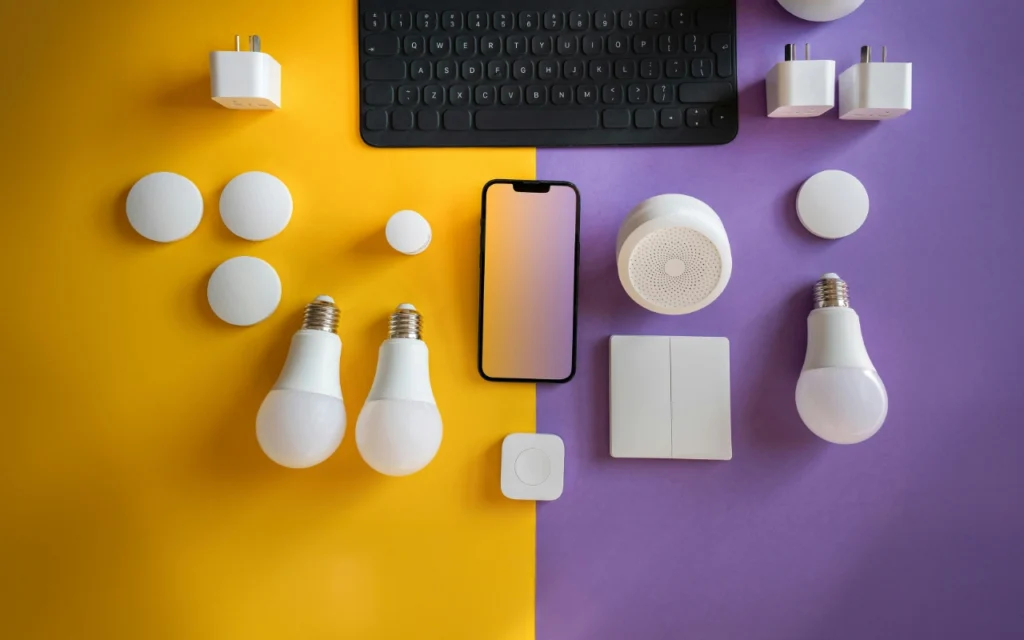
Today you will find a lot of motion sensors and contact sensors. There are also temperature sensors, humidity sensors, leak sensors, vibration sensors, light/luminosity sensors, UV sensors, air quality sensors, and more. A newer type of sensor; something we will see expanded more and more; is called a presence sensor. These are oftentimes a type of radar.
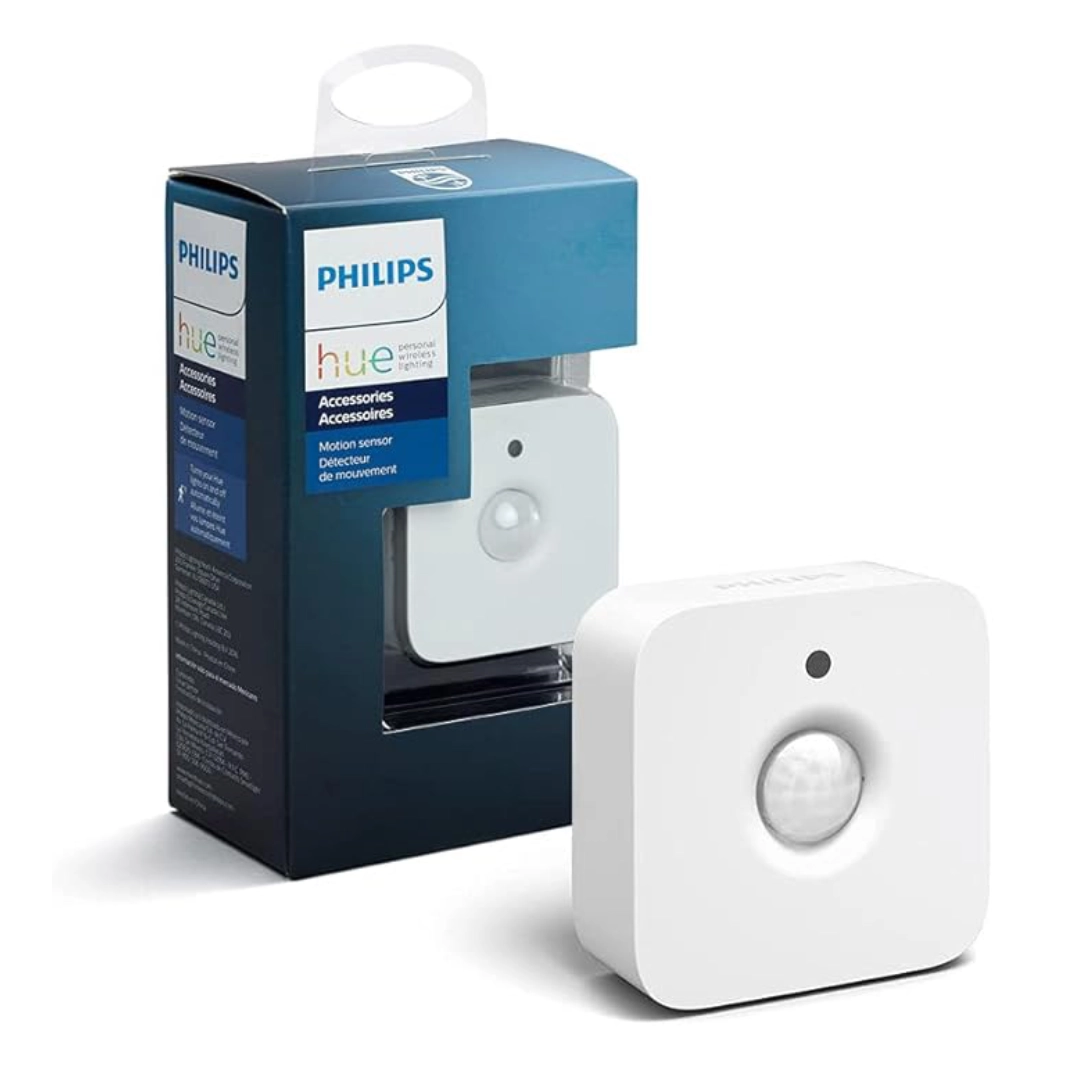
Automatically turns lights on when motion is detected. Ideal in producing straightforward and dependable smart home automations.
2. Actors
These are devices that take commands and cause something to happen. Smart lighting is one of the first things a lot of people look at. There are also smart blinds, shades, curtains, fans, smart plugs, smart power bars, and specialized appliances like fridges, humidifiers, AC units, heaters, fans, diffusers, and so many more. Honestly, anything you buy for your home today probably has a smart version.
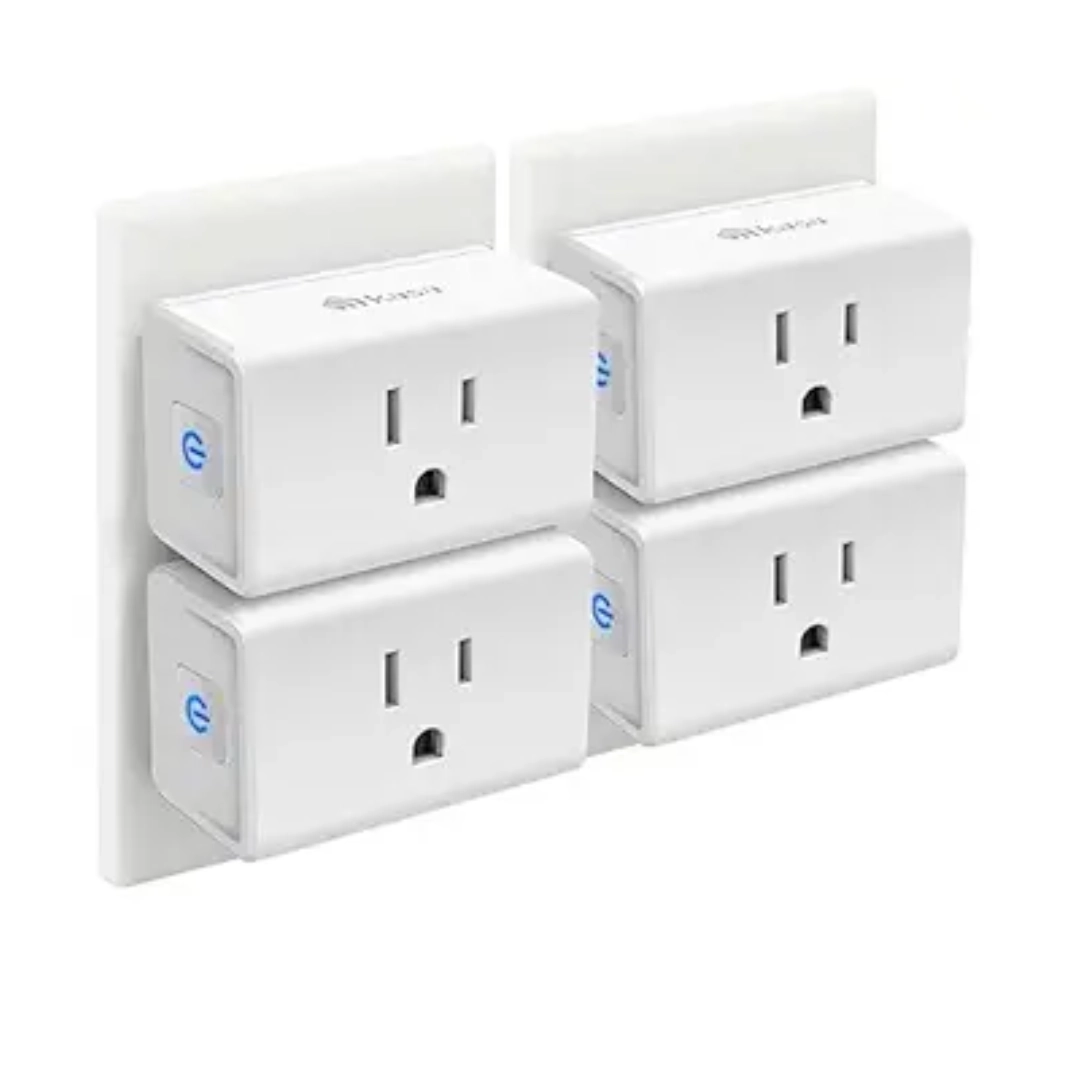
An easy way to make any device smart. Plug it in and control appliances remotely or automate them on a schedule.
3. Combo Devices
These are products that can be used on both the sensor side and the action side. A smart plug is a good example; there are energy monitoring smart plugs that can sense the amperage or watts being used. Cameras and smart doorbells are probably one of the most commonly used combo devices. Thermostats are another great example, as they can sense what the temperature is and then take action on their own using your HVAC system.
4. Control Interfaces
These are, I think, underutilized in a lot of cases but become really important for most people over time. They range from smart buttons to smart dials. The apps on your phone become a control interface, and smart speakers give you voice control. There are also smart displays — essentially smart speakers with a screen; televisions, and streaming devices like Amazon Fire TV, Android/Google TV, or Apple TV.
How to Choose a Wi-Fi System for Your Smart Home
A lot of your home will be based off of your network, so there are three major aspects of a Wi-Fi system that I think are really important.

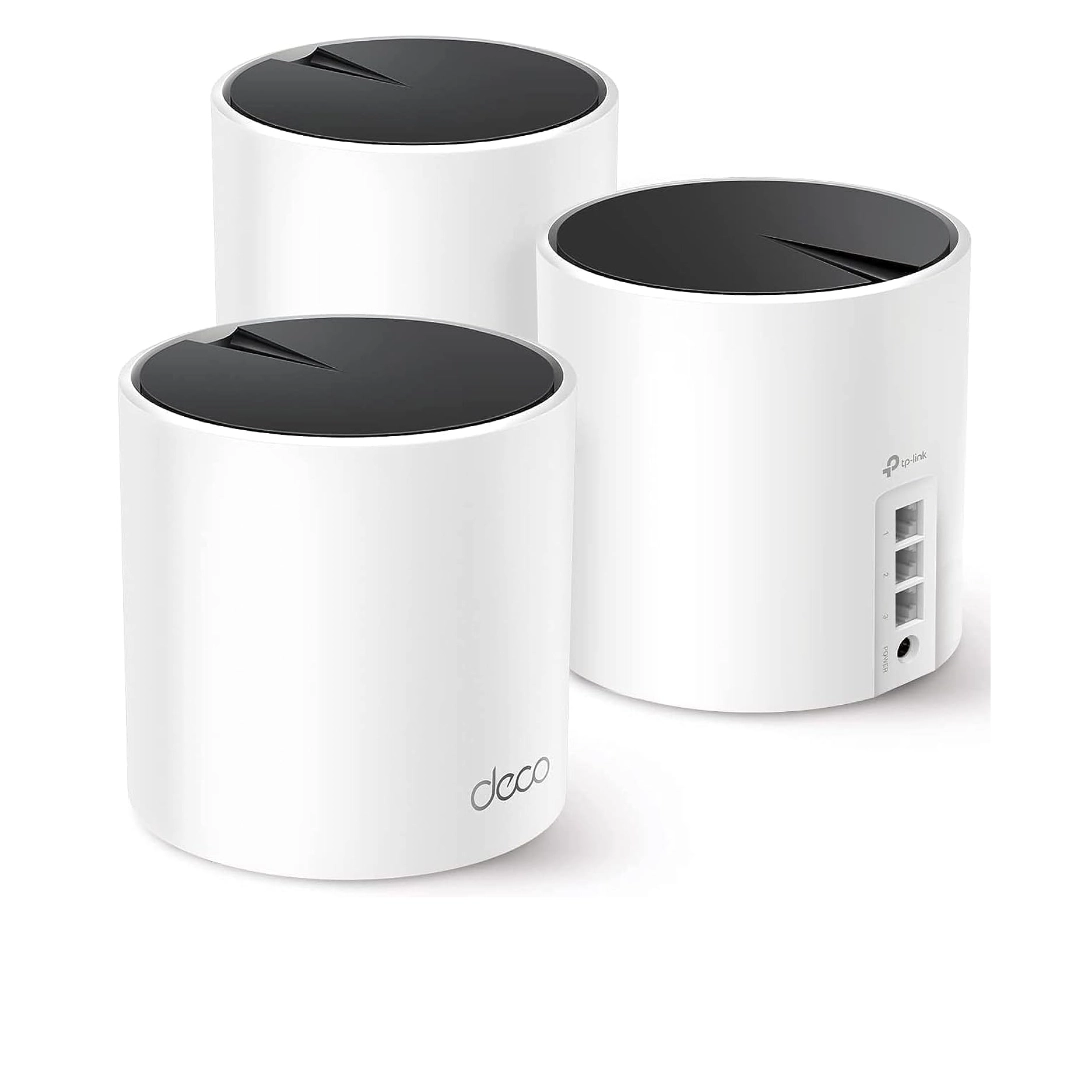
Provides strong and reliable Wi-Fi coverage across your entire home. Essential for keeping all smart devices connected.
Coverage
Use mesh Wi-Fi instead of extenders if you need to expand your network, and prioritize wired connections between your mesh Wi-Fi nodes if you have that opportunity.
Device capacity
Probably the most important aspect. Reviews of the fastest router only tell you one aspect of what matters for a smart home. There are Wi-Fi systems that cap out at 75 devices on the whole network, while others support 100 devices per node. If you’re building a robust smart home, that difference matters.
Nice-to-haves
Extra speed or Wi-Fi 6/6E are definitely nice-to-haves. Most smart home products still connect at 2.4GHz. A radio for another wireless networking technology; like Thread – is another nice-to-have, especially as Matter compatibility becomes more and more important going forward.
Choosing Your Smart Home Control System
One thing to understand right away: an easy, simple system might not always be better. In fact, it can be the opposite.
For example, say you have a few Amazon Echos you’ve collected over the years, so you want Amazon to be your smart home system. It’s easy to use, so it makes sense right? Well, you’re going to run into issues with all three of those goals for the ideal smart home because you’re limited on how much customization is possible. Say you don’t want motion lights to turn on if the TV is on, or you don’t want certain automations to run if visitors are over; with Amazon, that isn’t possible.
It seems counterintuitive, but a more advanced smart home system can actually be more family-friendly because you can customize it exactly how your family needs it to work.
Here’s a breakdown of the major systems from less complex to more complex.
IFTTT
Entirely cloud-based, which means it requires the internet available all the time. That can lower reliability. The good news is it’s just an app on your phone; very easy to use and they have a lot of products that can be connected. Automations are generally easy to create and no hardware is required, but there is a subscription service after just three automations. Once you have a subscription though, it can get incredibly advanced.
Google Home
At its basis, an application that can connect thousands of smart home products. The Google Assistant is the best voice assistant in the world and gives you access to incredible information. However, you will find the automation side of this system very lacking. Your routines or automations cannot be started by sensors or really any smart product in your home; including buttons. Most of what you do with Google Home requires the internet to be available.
That said, if you’re looking for a cheap system to start with and upgrade later on, Google is a solid choice. They have easy-to-use routines and a script editor for slightly more advanced automations; and if you eventually want to move to something like Home Assistant, you can still use all the speakers and displays for announcements and music without wasting any devices.
Apple HomeKit
Only available on iOS devices, which is a big issue if you use Android phones. Apple TV or HomePods can be used as hubs. Siri is actually the second most accurate voice assistant today, despite people thinking otherwise. One big benefit is that much of it is local; it won’t always require the internet to be available. You can say HomeKit is great at what it does, but it doesn’t do everything, and the products that work with it are often way more expensive.
Amazon Alexa
Amazon has the most compatibility in the industry when it comes to smart home products. Echo speakers sometimes have other radios like Zigbee and, in the future, Thread. Amazon has some good routine and automation options; not quite the level of hubs, but often enough for most people. There are a few drawbacks though, as their app has always been pretty weak and quite frankly annoying to use. Still, this is likely the best balance of features versus cost on the market today.
Samsung SmartThings
The easiest smart home hub that still has depth. That depth can put it on the level of really complex DIY solutions if you need it to be. The automation options have good depth: multiple conditions, multiple actions, virtual switches, scripts using webCoRE, and even your own DIY control interface. This is what I use in my home, and I think it bridges the gap between complexity and function.
Hubitat
A bridge between hubs like SmartThings and the real DIY world of home automation. It contains some really advanced automation features including a rules engine that is extremely powerful and actually easy to use once you dig in. The unfortunate part is that you can’t really connect cameras and the app is extremely weak. The really nice thing about Hubitat is that just about everything is done on the hub itself, giving you local connectivity and local execution of automations.
Home Assistant
This is the clear winner for me. Its open source, which means it’s free and not owned by some big tech company. The control interfaces and dashboards look amazing, and the intricacy of automations are where we want all the other smart home systems to get. It’s gotten way easier over the years but does require some tinkering to keep it working.
For lots of people, tinkering is not ideal which is fully fine. But if you want to tinker and perfect things, this is definitely the system for you. You also have the option of combining Apple HomeKit and Home Assistant; they both complement each other well and both run locally, so they’re very reliable together.
What to Look for When Buying Smart Home Devices
Now that you know your control method and your system, it’s time to add smart devices. Here are some things to look for.
Matter
Don’t limit yourself to only matter-compatible devices. Matter is still very new and currently being developed, so you could be waiting a while if you only want Matter devices. The benefits of Matter are compatibility with basically all the systems and not requiring the cloud to work. Well, you can already do this with Zigbee, Z-Wave, and Thread devices right now.
That said, one thing that Matter devices do really well is not relying on the cloud, and I would highly prioritize this when buying new smart home devices. If you’re considering one, see our guide on best smart thermostat.
That way if the company that makes the device ever did go out of business, you could keep using it in your smart home and that supports that third goal of long-term reliability. If you already have smart home devices that require the cloud, it’s not the end of the world. I wouldn’t throw them out.
Wi-Fi devices are fine
Just don’t skimp on your router. I see comments all the time saying avoid Wi-Fi devices at all costs. I don’t agree with this. If you have a good router and multiple Wi-Fi access points to cover your house, or even a good mesh Wi-Fi system, you’ll be just fine.
How to Choose a Wi-Fi System for Your Smart Home
A lot of your home will be based off of your network, so there are three major aspects of a Wi-Fi system that I think are really important.
Coverage
Use mesh Wi-Fi instead of extenders if you need to expand your network, and prioritize wired connections between your mesh Wi-Fi nodes if you have that opportunity.
Device capacity
Probably the most important aspect. Reviews of the fastest router only tell you one aspect of what matters for a smart home. There are Wi-Fi systems that cap out at 75 devices on the whole network, while others support 100 devices per node. If you’re building a robust smart home, that difference matters.
Nice-to-haves
Extra speed or Wi-Fi 6/6E are definitely nice-to-haves. Most smart home products still connect at 2.4GHz. A radio for another wireless networking technology like Thread; is another nice-to-have, especially as Matter compatibility becomes more and more important going forward.
Complementary Smart Home Companies Worth Knowing
Aqara
Mostly produces Zigbee devices and, in the future, Thread products. They have their own hubs, cameras, sensors, light switches, buttons, and more. A strong option to pair with Apple HomeKit.
Wyze
One of the cheapest solutions in North America with a ton of smart home products. Their cameras are good budget options, although subscriptions are increasingly hitting you with Wyze, which makes them more expensive over the long run than you might think. They pair best with Amazon.
SwitchBot
One of my personal favorites simply because they keep bringing new types of smart devices to market that are innovative. They’re getting closer and closer to being a whole home control system and are a really good pairing with either Google or Amazon.
YoLink
Really interesting because it’s inexpensive and incredibly long range. You can be a quarter mile from your home and still have these products stay connected to their hub. They have unique products that no one else has and even a local direct pairing option that gives you a local backup of many automations.
Tuya / Smart Life
A huge ecosystem of products. Tuya makes software and firmware that companies can use to build their own products; you can usually tell because the apps all look the same. Products are often best paired with Google or Amazon for other control, but each product needs specific research on what and how it works with other systems.
Ring
Owned by Amazon and definitely works best with Echo speakers. Really based in security but they do have some great lighting and home automation systems. They almost always get you on a subscription plan, so watch your budgets.
Lutron
A wonderful addition to any smart home for lighting, fan control, and just general smart home control. They connect and work with just about everything.
Philips Hue
The best lighting system in terms of connectivity, and also one of the most reliable. You’ll want their hub, and they are expensive – but there’s no easier platform to buy into that lets you shift your overall smart home to anything you want, anytime.
How to Start Building Your Smart Home (And What Order to Do It In)
If you’re serious about how to make your house a smart home, here’s the most important advice I can give you. don’t start with a smart thermostat or a smart video doorbell or a smart lock. Get the foundation in place first.
Start with a strong Wi-Fi system and your smart home controller. That will give you the foundation and will help you decide which products to buy. Please don’t use Wi-Fi extenders unless you like a smart home that doesn’t work. If you have a bigger home, go with a mesh Wi-Fi system. Take advantage of cabled connections wherever you can.
One of the best first purchases you can make is smart switches. They’re very family-friendly; everyone can still use the switch like they normally do, but then you can automate it. When I moved into my house, smart switches were the first thing I added.
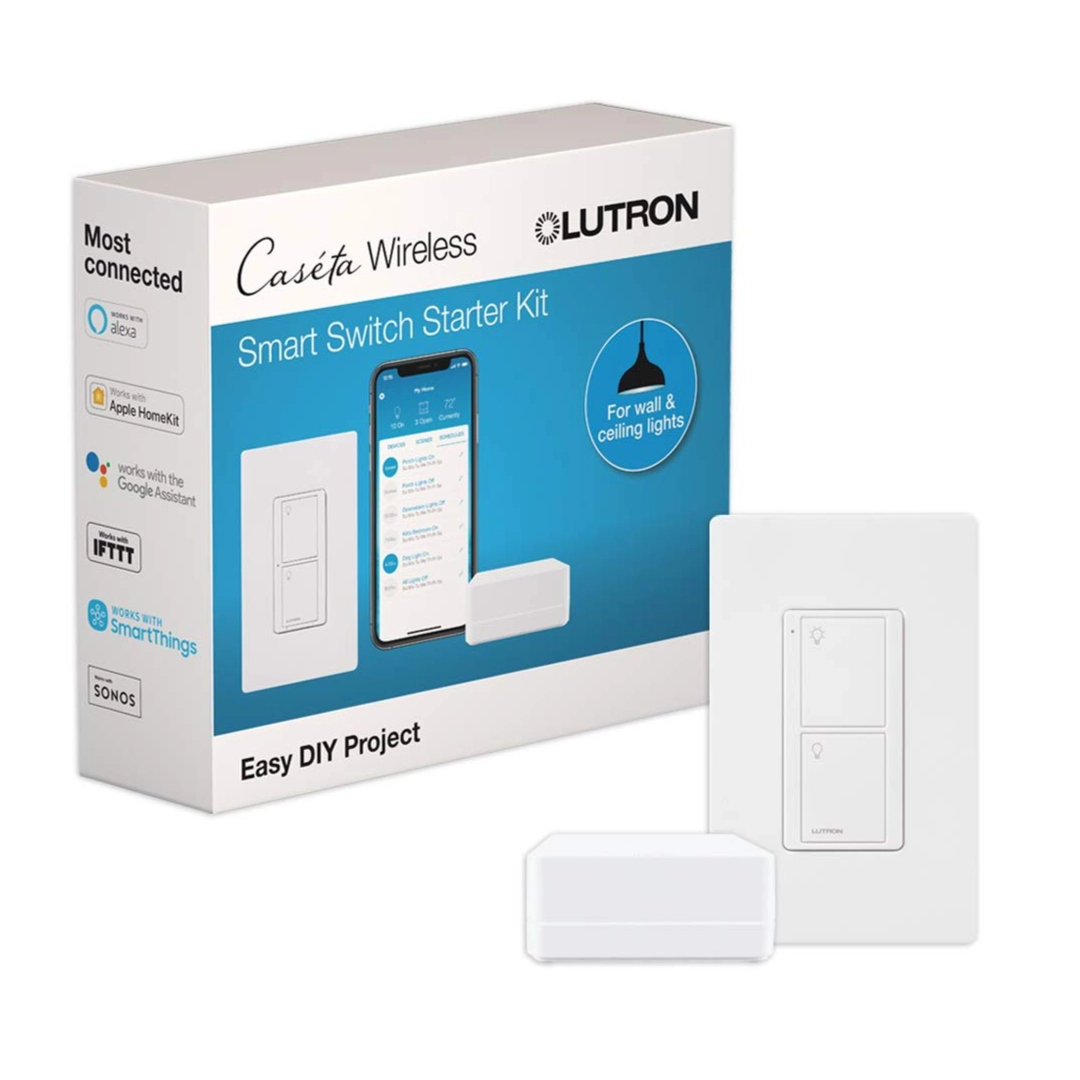
A reliable smart switch system that works even without Wi-Fi. Perfect for beginners and very easy for family members to use.
As you add products, you will be adding capabilities to your home. But you will find that a smart video doorbell on its own might not be enough. You might want an outdoor motion sensor as a backup, a smart package delivery box, and smart lighting to change when someone is at the door. This will require your controller to be capable of all of that, and you will have to research each product individually to make sure it’ll fit in and do the things you want.
Building Automations Without Losing Your Mind
This is where all your hard work pays off and it feels like magic as things happen around you without you needing to even think about it. It’s one of my favorite things ever.
But before you jump in, here’s some advice: when you’re first starting out, don’t get too carried away and create complicated automations. Start simple and focus on one room at a time. In fact, you can indeed get more specific by fastening on one task at a time. Think about a problem in your life, automate it, and then move on to the next one. This will help you keep track of what’s supposed to happen so if it breaks, you know where to look and fix it quickly.
You might be like oh, it’s not going to break, I made the perfect automation. Yeah, famous last words. Almost all the automations that my family breaks can be fixed easily with some extra conditions. These are what stop the automation from running if other things are happening in the house like if you have guests over, if the TV is on during certain times of the day, or if someone’s away from the house. Adding those conditions keeps your family from getting annoyed.
Now just a warning; making perfect automations is kind of a thankless job. Remember at the beginning, making an invisible smart home that works seamlessly in the background? Well, if your automations are running perfectly, no one’s really going to notice. Which is a good thing. But if they break, you are going to hear about it. It’s not always like that though, and automations have made our life so much easier. I do not have to concentrate on the mundane tasks and rather concentrate on my family. These automations put further time back in my day. It’s 100 worth it in my opinion. At this point, you should have a solid understanding of how to make your house a smart home.
FAQ: Rapid-Fire Smart Home Questions Answered
I try to be as descriptive as possible when I’m naming my automations or devices and maybe a little extra descriptive, especially putting in what room they’re in. That way when I need to find them, I can quickly search for the room and they’ll pop right up.
It will depend on your setup. A simple set up with a handful of smart plugs or bulbs will be able to start with a low budget, and expand to full automation over time.
Yes. Majority of the smart home products are also equipped with mobile applications, which allow you to turn lights and appliances, as well as security systems, on and off anywhere.
Automation implies establishing rules such as in case this happens, do that. e.g. lights that come on as you walk into a room.
They will be secure in case you use strong passwords, keep your device up-to-date and you lock your Wi-Fi network. Sensitive information can be stored on smart devices, hence the need to be secure.
Well, I don’t. I simply give them very good names and when I require them I simply search the room or whichever it is and they come to the fore within seconds.
Yes, when you are concerned about convenience, security and saving of power. You do not have to automate everything, but what is most important to you.
I would make use of Home Assistant. And you still have that Homebridge functionality inbuilt, but with some added features with Home Assistant.
Yes. The majority of smart home gadgets are simple to set up and are accompanied by step-by-step guidelines. Numerous installations can be completed in a few minutes.
Not always. You will have to verify that it is compatible with your preferred platform (such as Alexa or Google Home) to make sure that the devices are compatible and can connect.
Smart homes are time-saving, more comfortable, secure, and contribute to energy saving as they automate everyday activities.
I am not sure that it is the best, yet I have some cheap Sonoff Zigbee outlets which add to my Zigbee mesh network and cover my home. I am also operating the Aqara pet feeder which is also a Zigbee repeater.
Yes. The next best thing that you can do is to switch to smart switches since they are highly family-friendly. It is still possible to use the switch as you usually do, but then you can make it automated.
Unfortunately, there isn’t an easy way to switch from one smart home system to another. You can either slowly move devices and automations over little by little, or do it in one fell swoop. Actually there is an integration in Home Assistant of SmartThings, so you can import all your SmartThings devices and then gradually de-integrate them with SmartThings and migrate them to Home Assistant.
Yes – in case you are going to change all your light switches, one company would make it more consistent, your family would find it easier and would be more presentable. Not so much in the case of something such as light strips. It is somewhat the same when you are automating them and putting them into a dashboard.
I would most likely prefer Google. The ones that they have are very easy to use routines and their script editor with a little more advanced automations. And should you wish to step it up a notch and install something like Home Assistant, you can still announcements and music using all the speakers and displays without wasting any devices.
Yes. As long as your gadgets are linked to the internet, you can remotely control your gadgets through your phone.
Smart devices are isolated but a smart home is a system that integrates all devices into a single system which automatically interacts.
I like to use Apple HomeKit and Home Assistant. They are complementary to each other and both local and hence very reliable.
A smart house is a home in which gadgets such as lights, surveillance systems and appliances are linked to the internet and can be remotely controlled or automatically. It enhances convenience, security and power saving.
Start small. Select one of the areas such as lighting, security or temperature control. Then build up progressively with your requirements and budget.
Examples of common gizmos are smart bulbs, smart plugs, thermostats, security cameras, smart locks, and voice assistants. These appliances are connected to make your home automatic.
Yes, the majority of smart home devices cannot be used without a stable internet connection, particularly, remote control and automation features.
Smart devices such as Amazon Alexa, Google Home, or Apple HomeKit are user-friendly since they can accommodate numerous devices and can be operated with voice.
Final Thought on How to make your house a Smart Home
Focusing on those three goals; invisible, family-approved, and long-term reliable – will help you build a smart home you’re actually proud of and truly understand how to make your house a smart home. One where you barely know it’s there, your family loves it, and it keeps working reliably year after year.
The complexity of the system will grow, but as long as you’re carefully picking the products, the complexity won’t get beyond what most people can handle. You will also be able to use that complexity to your advantage.
For example; when someone walks up to my home, I don’t change any lighting until they get to the front door. A motion sensor triggers my lighting to change for a few minutes when they get to the door. Then they can ring the doorbell, which alerts me on my smart speakers throughout my home; and that changes things inside my home as well.
Those smart speakers will always play the sound if the doorbell rings, except for the one in my bedroom, which turns on a do-not-disturb mode late at night. The lights in my home will only change between sunset and midnight, as I don’t need lights during the day.
That is the smart home working for your life — not the other way around.
This is Smart Home beginner tutorial, so it can’t take you all the way down the path; but it will get you pointed in the right direction. The key is to understand your foundation before you start buying products, and then build from there carefully and intentionally.
Thank you for reading!
Disclosure: This post may contain affiliate links. We earn a small commission when you purchase through these links, at no extra cost to you. All opinions are our own.