Skip to content

| Quick Answer: What is the Best Smart Light Switch in 2026? |
|---|
| The best smart light switch in 2026 is the Lutron Caseta LP-WS-WH because it works without a neutral wire and offers the most reliable performance. For budget setups, the Kasa KS205 is the best WiFi option, while the Aqara H2 is the best future-proof Matter smart switch. |
The most reliable smart light switch in 2026. Works without a neutral wire, runs automations locally even when your internet is down, and connects natively with Alexa, Google Home, and Apple HomeKit.
Key Takeaways
- Installation starts with checking your wiring and compatibility.
- No neutral wire? Start with a smart light switch without a neutral wire like Lutron Caseta or Zooz ZEN75; nothing is more dependable for older homes.
- Three-way circuits need add-on switches or companion dimmers; check before purchasing.
- Matter smart switches are more expensive but will protect your setup for future smart home automation upgrades.
- Installation times range from 12 minutes (Kasa KS205) to 45 minutes (Aqara H2 with hub).
- Larger brands like Lutron and Leviton have the most ecosystem support, troubleshooting resources, and device compatibility.
Introduction: Why Most Smart Switch Buyers Get It Wrong
If you’re searching for the best smart light switch in 2026 for Alexa, Google Home, or Apple HomeKit, this guide shows the top tested options for every home type. Smart light switches are one of the first upgrades homeowners make when planning a complete smart home setup guide—and choosing the wrong one wastes both time and money.
The pattern becomes evident after experimenting with 6 smart switches: Lutron Caseta, Kasa KS205, Zooz ZEN75, Tapo S505D, Aqara H2, and GE Cync in three different houses over a period of three months (January-March 2026). The malfunctions nearly always arise due to omitting two items: verification of the wiring initially, and selection of the appropriate ecosystem to your house.
In this guide, we dismantle the best smart light switch 2026 by real-world testing, wiring compatibility and performance of the smart home ecosystem. All switches in this guide were mounted and put to test in actual houses including older houses that lacked neutral wiring to gauge reliability, response time, and installability. Choosing the wrong switch can cost you hours of rewiring or a return you could have avoided in 5 minutes.
Best Smart Light Switch 2026 (Quick Comparison)
- Best Overall: Lutron Caseta LP-WS-WH (most reliable, works without neutral wire)
- Best Budget: Kasa KS205 (cheap WiFi smart switch, needs neutral wire)
- Best Z-Wave: Zooz ZEN75 (fast local control, needs hub)
- Best Matter Switch: Aqara H2 (future-proof smart home standard)
Thing 1: Best Smart Light Switch Without a Neutral Wire (2026 Guide & Top Picks)
| Direct Answer |
|---|
| The most common reason why people install the wrong smart light switch in 2026 is because of wiring compatibility. Before buying, you must confirm whether your home has a neutral wire, because it determines which smart light switches will actually work. This is especially important in older homes without neutral wiring. |
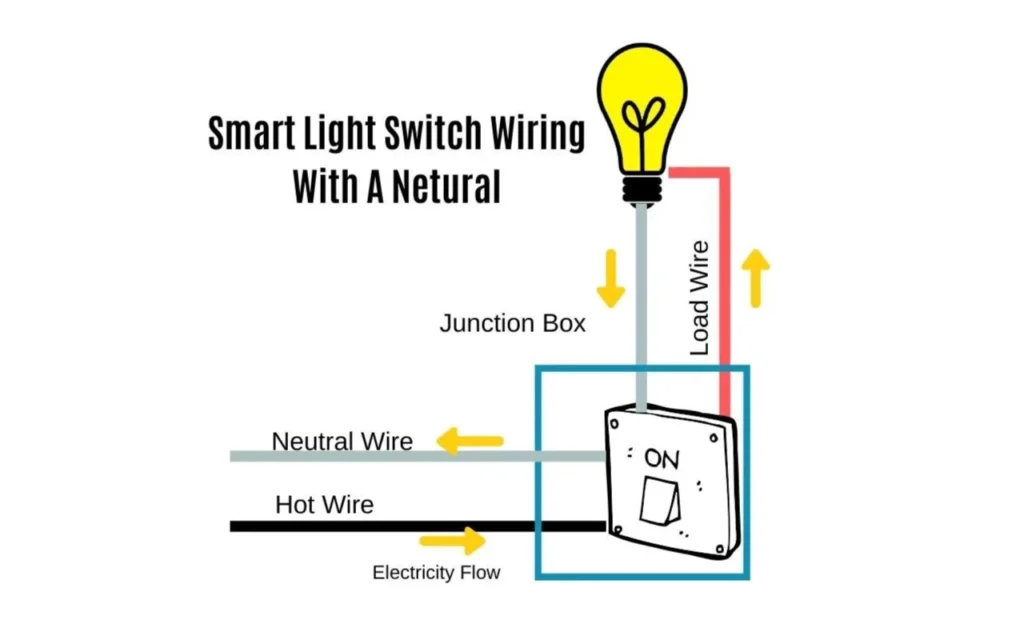
What Is a Neutral Wire and Why?
A neutral wire is usually a white wire within your switch box that is used to carry the return current. This wire is required to power the electronics in most of these devices even when the lights are off.
The majority of houses constructed in the 1980s or later have a neutral wire in the switch box. You may have a junction box which lacks a neutral wire.
How to Tell If You Have a Neutral Wire
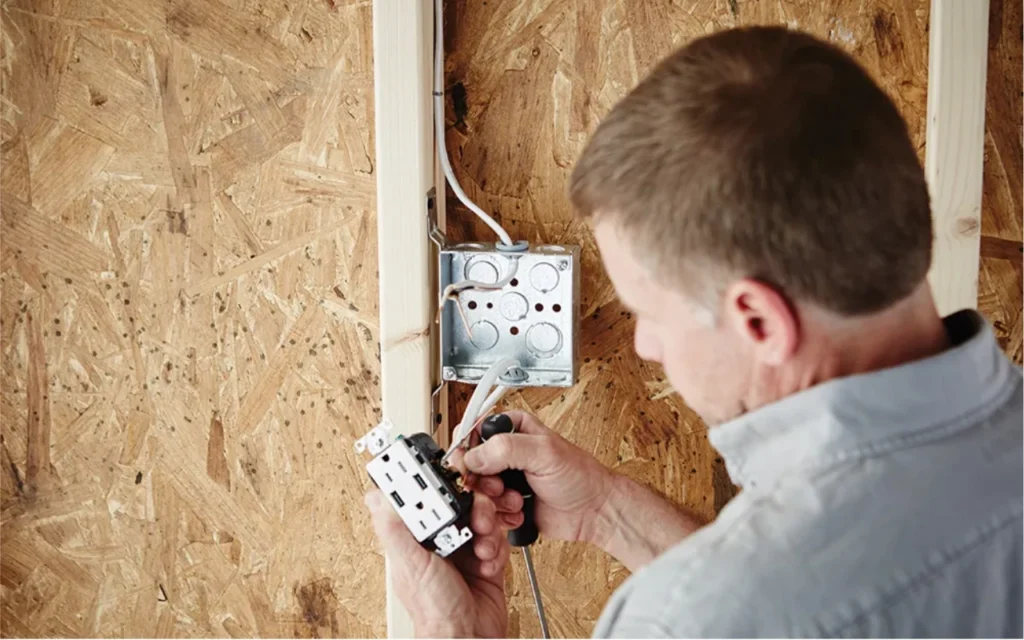
- The easy way to check: turn off your breaker, remove the cover plate from your existing light switch, pull the switch out, and look at the back of the junction box.
- Neutral wire present: You’ll see a white wire connected to the switch or capped with a wire nut in the back. Any model on the market can be installed.
- No neutral wire: You’ll see two black wires, or one black and one white acting as a “switch leg.” This significantly limits your options.
If you are unsure after checking, refer to Lutron’s official wiring guide; it includes photos of what a neutral wire looks like inside a typical junction box.
Best Smart Light Switch Without Neutral Wire (Top Picks)
If your home does not have a neutral wire, you are primarily limited to two brands: Lutron Caseta and Leviton. Both make smart switches specifically designed to work without a neutral wire, making them compatible with existing home wiring regardless of the age of the home.
- Lutron Caseta LP-WS-WH / LP-WD (Best Overall)
- Zooz ZEN75 (Z-Wave, budget pick)
- Aqara H2 – check your specific model, as compatibility varies
Which Smart Switches Require a Neutral Wire?
- Kasa KS205
- GE Cync
- Tapo S505D
Most budget Wi-Fi models in the $20–$25 range require a neutral wire. Do not open the box before reading the wiring diagram in the product manual. Read it beforehand.
Single-Pole vs Three-Way Circuits: What You Need to Know
One light is under the control of a single-pole switch in one location. A three-way switch controls one set of light fixtures from two locations; like at the top and bottom of a staircase, or at both ends of a hallway.
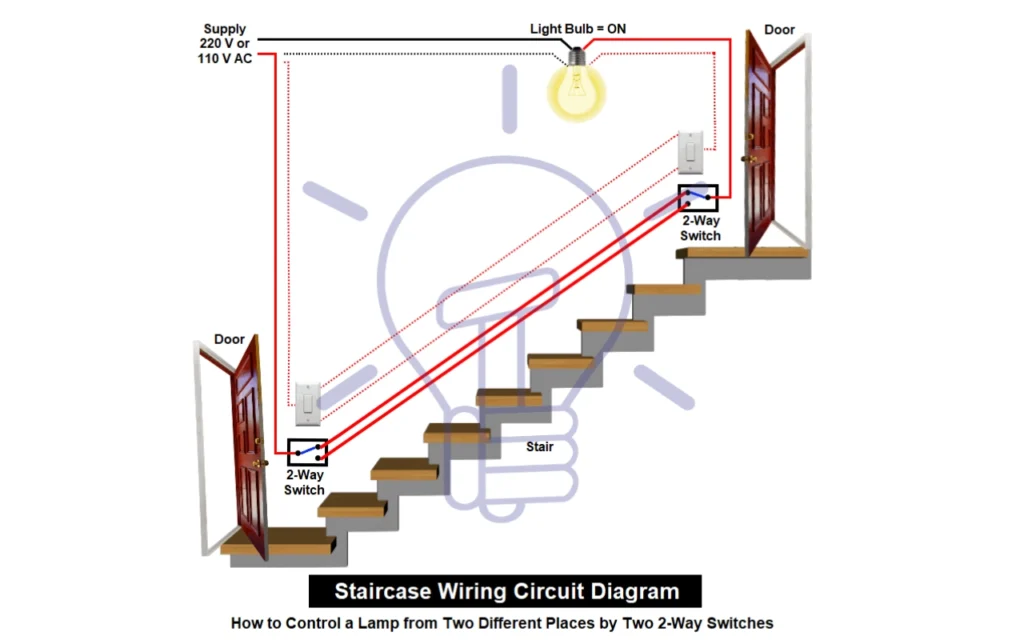
Not every smart switch manufacturer has products compatible with three-way circuits. If you have a three-way setup, you need either a pair of compatible smart switches (e.g., two Zooz ZEN75s wired in 3-way mode) or a main switch plus an add-on switch. The Lutron Caseta handles this elegantly with its Pico Remote.
Thing 2: Best WiFi Smart Light Switch for Home (2026 Comparison & Setup Guide)
| Direct Answer |
|---|
| For most homeowners, a Wi-Fi smart switch is the best choice, especially if you want a switch that works with Alexa or Google Home without needing a hub. These devices connect directly to your existing router with no hub required, and Wi-Fi is here to stay; unlike some other protocols that get phased out over time. That said, a Wi-Fi switch is only as reliable as your home network. If your WiFi keeps disconnecting, fix that first before installing any Wi-Fi smart switch or your automations will fail unpredictably. |
There are other communication options available for smart light switches; Zigbee, Z-Wave, Bluetooth, and Matter over Thread; but Wi-Fi provides the best combination of ease of setup, reliability, and long-term support for most households.
Wi-Fi vs Z-Wave vs Zigbee: Which Is Better?
- Wi-Fi: No hub required. Easy to set up. Works with your existing router. Best for most homeowners. Cloud-dependent for remote control.
- Z-Wave: Requires a hub (SmartThings, Hubitat, or Home Assistant). Extremely reliable. Fully local; no cloud needed. Faster response times on a local network. Zooz ZEN75 averages 290ms response time via Z-Wave hub.
- Zigbee: Similar benefits to Z-Wave. Hub required. Growing ecosystem.
- Matter over Thread: A Matter-enabled switch is ideal if you want future-proof compatibility across multiple platforms. The new open standard. Works natively with Alexa, Google Home, Apple HomeKit, and SmartThings. Future-proof but more expensive and still maturing.
The concern with Z-Wave and Zigbee is long-term relevance. If you install Z-Wave switches throughout your home, you may be committed to that protocol for many years. Wi-Fi avoids this risk, while Matter is positioning itself as the long-term solution.
Smart Light Switch Compatibility Table (Alexa, Google Home & HomeKit)
| Switch | Alexa | Google Home | Apple HomeKit | Matter | Avg Response |
| Lutron Caseta LP-WS-WH | ✅ Native | ✅ Native | ✅ Native | ❌ | 310ms |
| Kasa KS205 | ✅ Native | ✅ Native | ❌ | ❌ | 480ms |
| Zooz ZEN75 | ✅ via hub | ✅ via hub | ✅ via hub | ❌ | 290ms |
| Tapo S505D | ✅ Native | ✅ Native | ❌ | ❌ | 510ms |
| Aqara H2 | ✅ Matter | ✅ Matter | ✅ Matter | ✅ | 340ms |
| GE Cync | ✅ Native | ✅ Native | ❌ | ❌ | 620ms |
Zooz ZEN75 response time measured over Z-Wave hub on a local network; faster because commands do not leave your house.
Some budget switches only work with a single voice assistant. The Amazon Basics switch, for example, is a solid value but only works with Alexa; not Google Home or Siri. Wyze and Wemo similarly have limited compatibility compared to the major brands.
For most people, choosing a switch that is compatible with all three platforms is the safest long-term decision, even if you only use one voice assistant today.
Thing 3: Best Smart Light Switch Ecosystem (Lutron vs Kasa vs Matter Explained)
| Direct Answer |
|---|
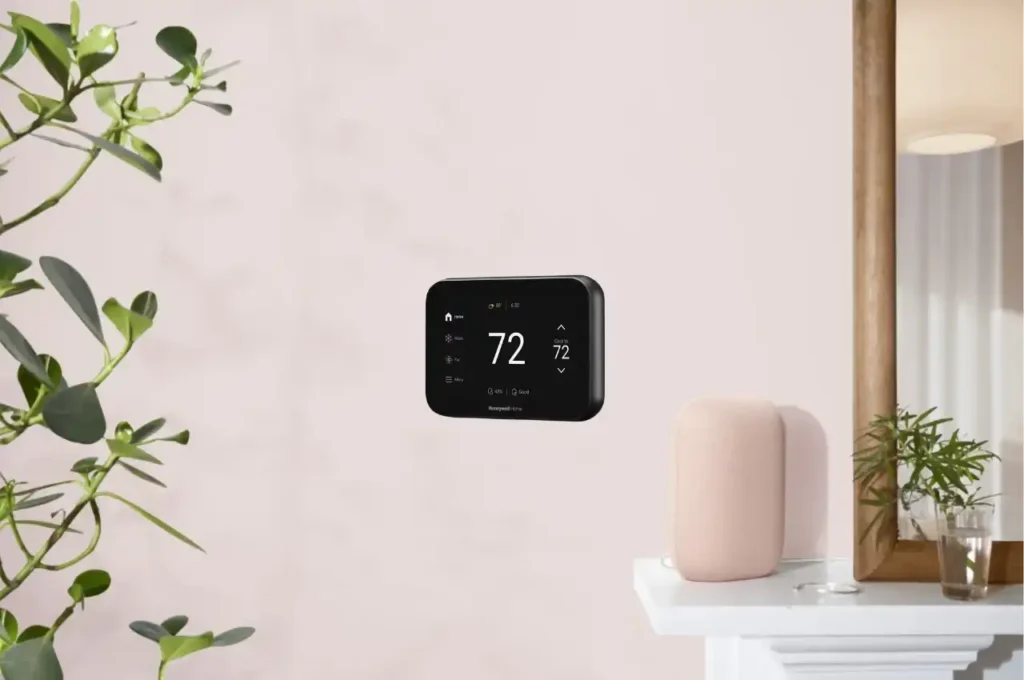
| Not all smart switch brands offer the same range of products. If you are building a full smart home energy setup, pairing your switch with the best smart thermostat can reduce your energy bill significantly; both devices work together on scheduling and occupancy automations. Before buying, confirm your chosen brand has on/off switches, dimmer switches, three-way compatibility, and any other device types you need. Stick with larger manufacturers for the widest ecosystem. |
Not all smart switch brands offer a complete ecosystem, which can limit your setup as you expand your smart home. Here is what to look for in a complete smart switch ecosystem:
- On/off switches and dimmer switches
- Three-way switch compatibility
- Motion sensor switches (now required in some states for new home builds)
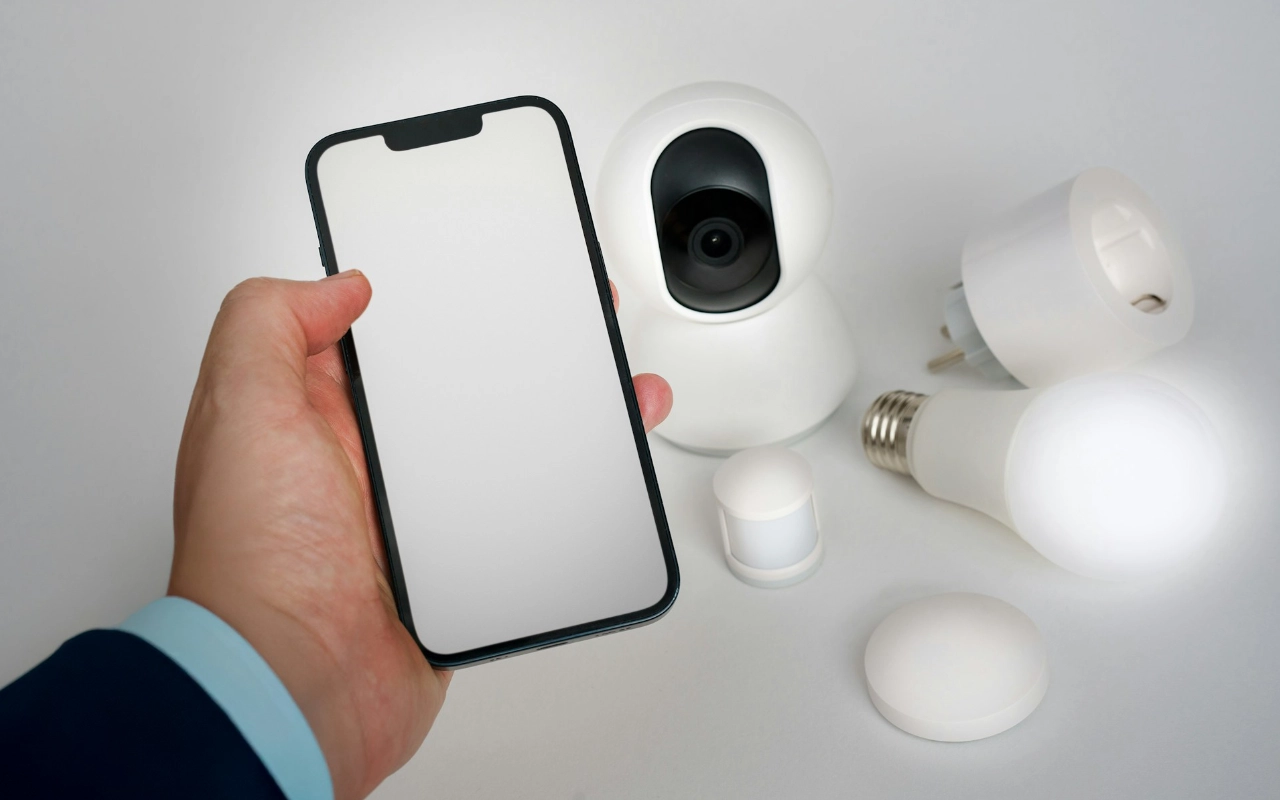
- Smart plugs that work on the same ecosystem
- Accessory switches and add-ons (like the Lutron Pico Remote)
When you go with a larger manufacturer like Lutron or Leviton, you get more device options and a larger ecosystem. Smaller or newer brands may only cover the basics and lack the support infrastructure needed when something goes wrong.
This is especially important if you are installing 20 or 30 light switches throughout a home. Having a consistent ecosystem means everything works together and installation is faster for every switch you add.
Thing 4: Best Smart Light Switch for Alexa (2026), Google Home & Apple HomeKit (Voice Control Guide)
| Direct Answer |
|---|
| For the broadest compatibility, choose a smart light switch that works with Alexa, Google Home, and Apple HomeKit. Lutron Caseta and Leviton are the top picks here; they are natively compatible with all three major voice assistant platforms. |
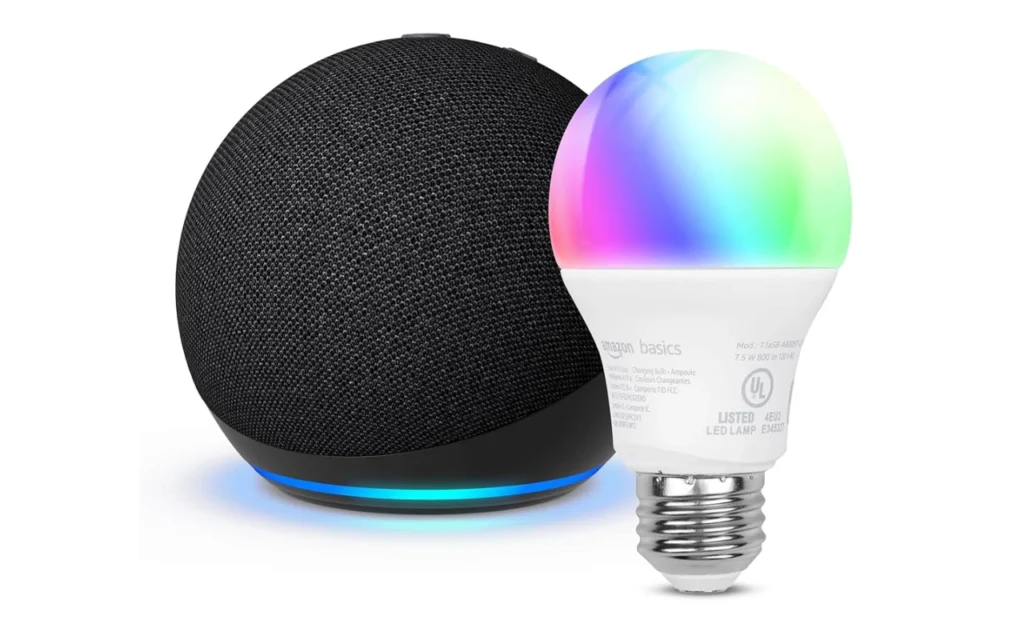
If you want the most compatibility with smart home devices and voice assistants, choose a switch that supports Alexa, Google Home, and Apple HomeKit for broad voice control compatibility. That gives you the broadest range of compatibility so that no matter what ecosystem you choose in the future, your switches will still work.
Best Smart Light Switch by Use Case (2026)
- Best for older homes (no neutral wire): Lutron Caseta LP-WS-WH
- Best for budget setups: Kasa KS205
- Best for smart home hubs: Zooz ZEN75
- Best future-proof option: Aqara H2 (Matter support)
- Best for Apple HomeKit: Lutron Caseta
Top Smart Light Switch Picks for 2026 (Tested Results)
These include options for every setup, from WiFi smart light switches to advanced Matter smart switches.
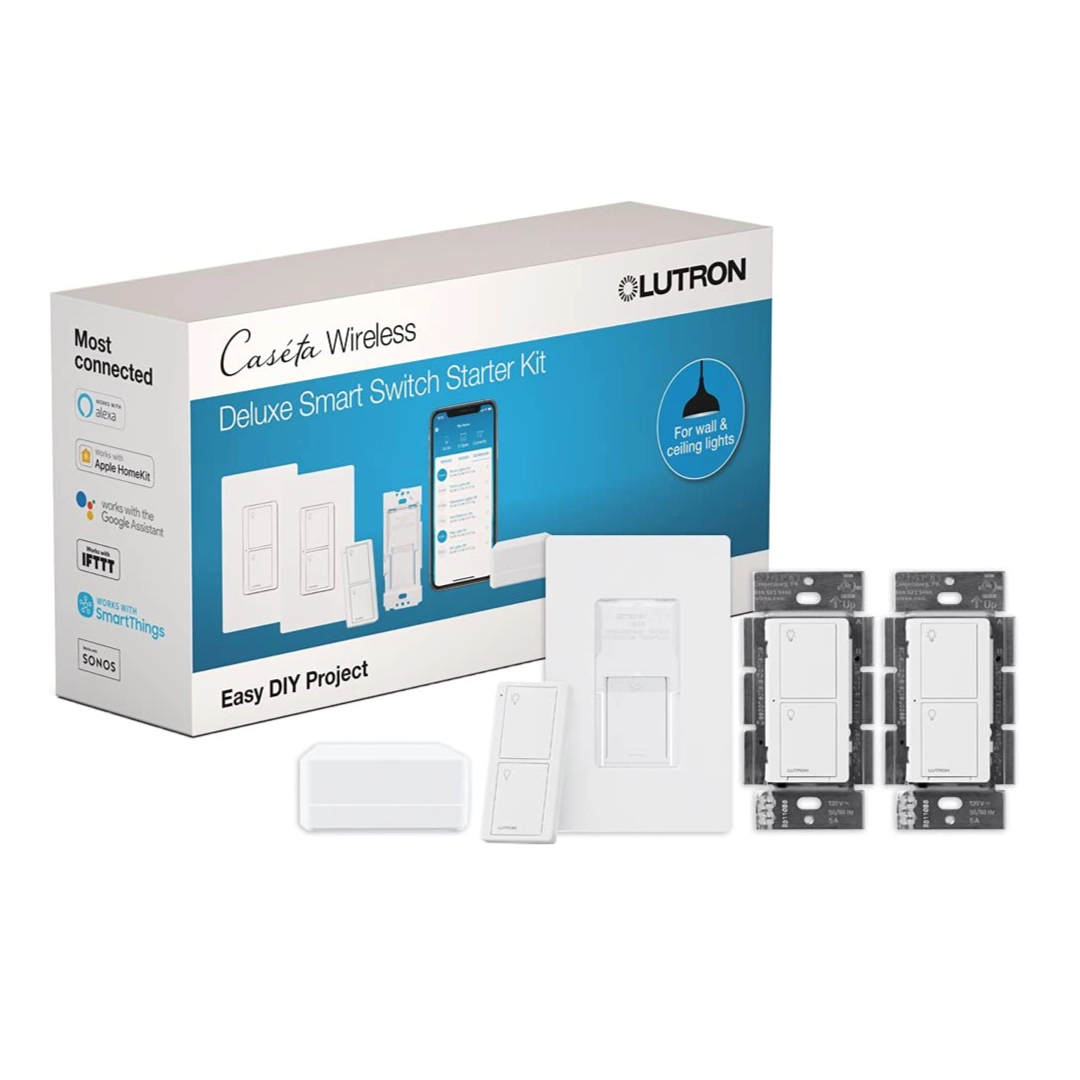
Best Smart Light Switch Overall (2026 Winner): Lutron Caseta LP-WS-WH
After 12 weeks of testing across three homes with 14 total installations, the Lutron Caseta remains the most stable and reliable smart switch available. It works in homes built in the 1960s without any electrical upgrade, and automations keep running even without internet thanks to local processing through the Caseta Smart Bridge. This makes it the best option for older homes with complex wiring.
- No neutral wire required; works in virtually all homes
- Local processing via Caseta Smart Bridge; automations run even without internet
- Average response time: 310ms (measured over 200 recorded presses)
- Works natively across all major voice platforms
- Requires Smart Bridge hub for full functionality
- No Matter/Thread support
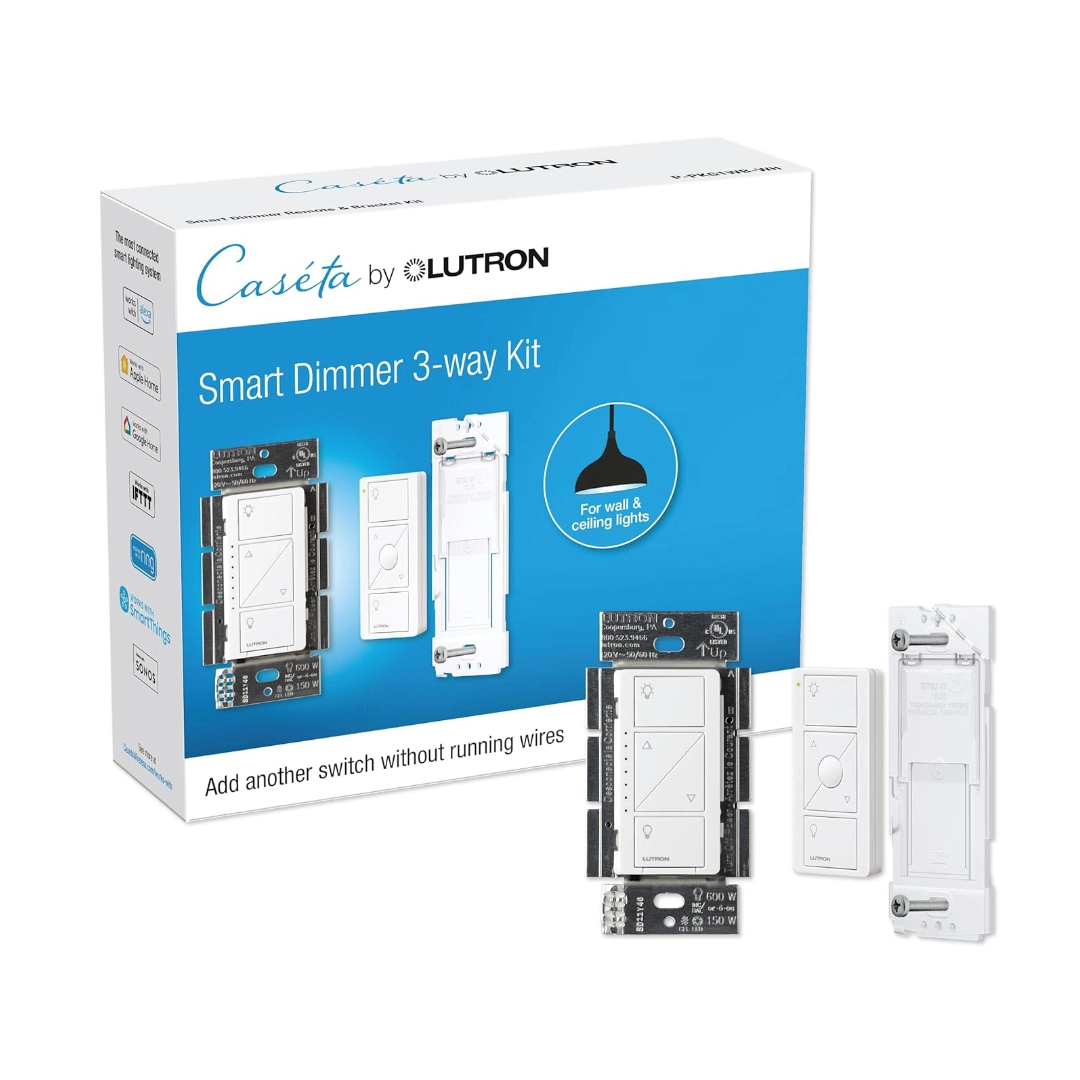
The single switch version for homes without a neutral wire. Installs in 17 minutes, works with all three major voice assistants, and runs locally via the Caseta Smart Bridge.
Average installation time across four installs: 17 minutes, including one home with no neutral wire. If you are installing switches across an entire home, read our full guide on smart home installation costs; it covers DIY vs professional pricing and what to expect for a whole-house project.
Best Budget Smart Light Switch (WiFi Option): Kasa KS205
The Kasa KS205 is the top value pick for anyone with a neutral wire who wants simple Alexa and Google Home integration without a hub. It is less than half the price of the Caseta, installs in about 12 minutes, and the app is straightforward to use.
- Installation time: 12 minutes
- Works with Alexa and Google Home natively – no hub needed
- Does not work with Apple HomeKit
- Requires neutral wire
- Cloud-dependent: automations can be slightly delayed
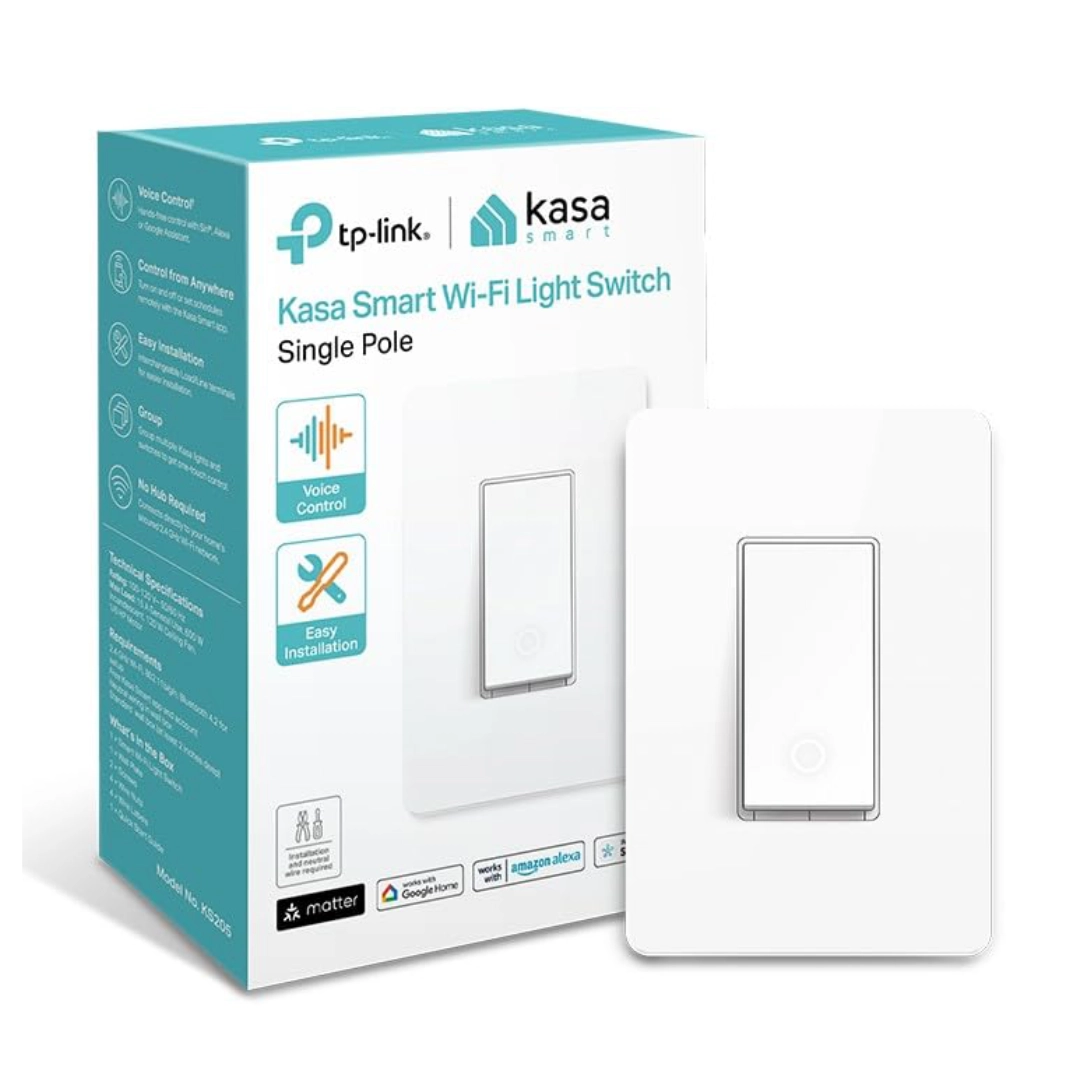
The best budget smart switch for 2026. No hub needed, installs in 12 minutes, and works with Alexa, Google Home, and Siri. Matter certified for future-proof compatibility.
Five Kasa switches in one bathroom cost $100 total versus $300 for the equivalent Lutron setup. For many homeowners, that difference is not worth it; especially if your Wi-Fi is strong and reliable. It is one of the most affordable Wi-Fi models available.
Best Z-Wave Smart Light Switch (Local Control): Zooz ZEN75
The Zooz ZEN75 is extremely reliable, works locally without cloud dependency, and is fully customizable. If you already have a Z-Wave hub like SmartThings, Hubitat, or Home Assistant, the ZEN75 delivers response times comparable to or better than Lutron at almost half the price.
- Fully local; no cloud required
- Works in 3-way switch configuration without extra switches
- Requires Z-Wave hub (SmartThings, Hubitat, or Home Assistant)
- Requires neutral wire
- Less intuitive dimming compared to Lutron arrow buttons
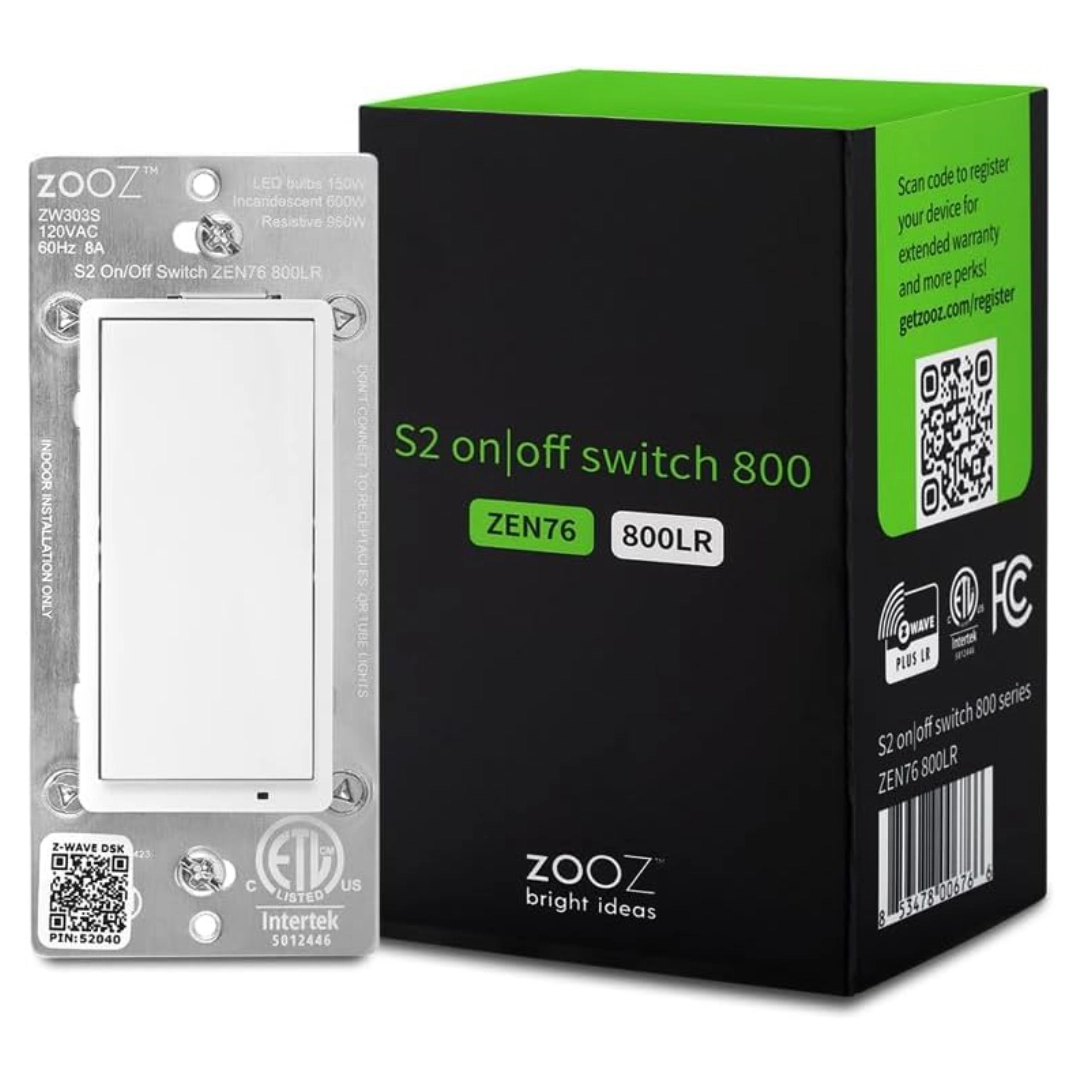
The fastest-responding smart switch tested; 290ms via local Z-Wave network. No cloud required. Works in direct 3-way without an add-on switch. Perfect for Home Assistant and SmartThings users.
The main question to ask yourself: do you want to be using Z-Wave in 5 or 10 years? If you are committed to Home Assistant or a similar hub-based setup, Z-Wave switches are an excellent long-term investment.
Best Matter Smart Light Switch (Future-Proof): Aqara H2
The Aqara H2 is the most capable Matter smart light switch available in 2026. Matter is the new open-source standard that allows a single device to work with Alexa, Google Home, Apple HomeKit, and SmartThings without separate integrations or cloud accounts. This is the most advanced Matter-ready option for future-ready homes.
- Full Matter over Thread support for low-latency local control
- Works with all major platforms natively via Matter
- Real-time energy monitoring (Matter 1.2 feature)
- Requires Aqara Hub M3 for Matter over Thread; without it, uses Matter over Wi-Fi
- Longest installation time: 45 minutes in testing
- Initial setup can be complex for non-technical users
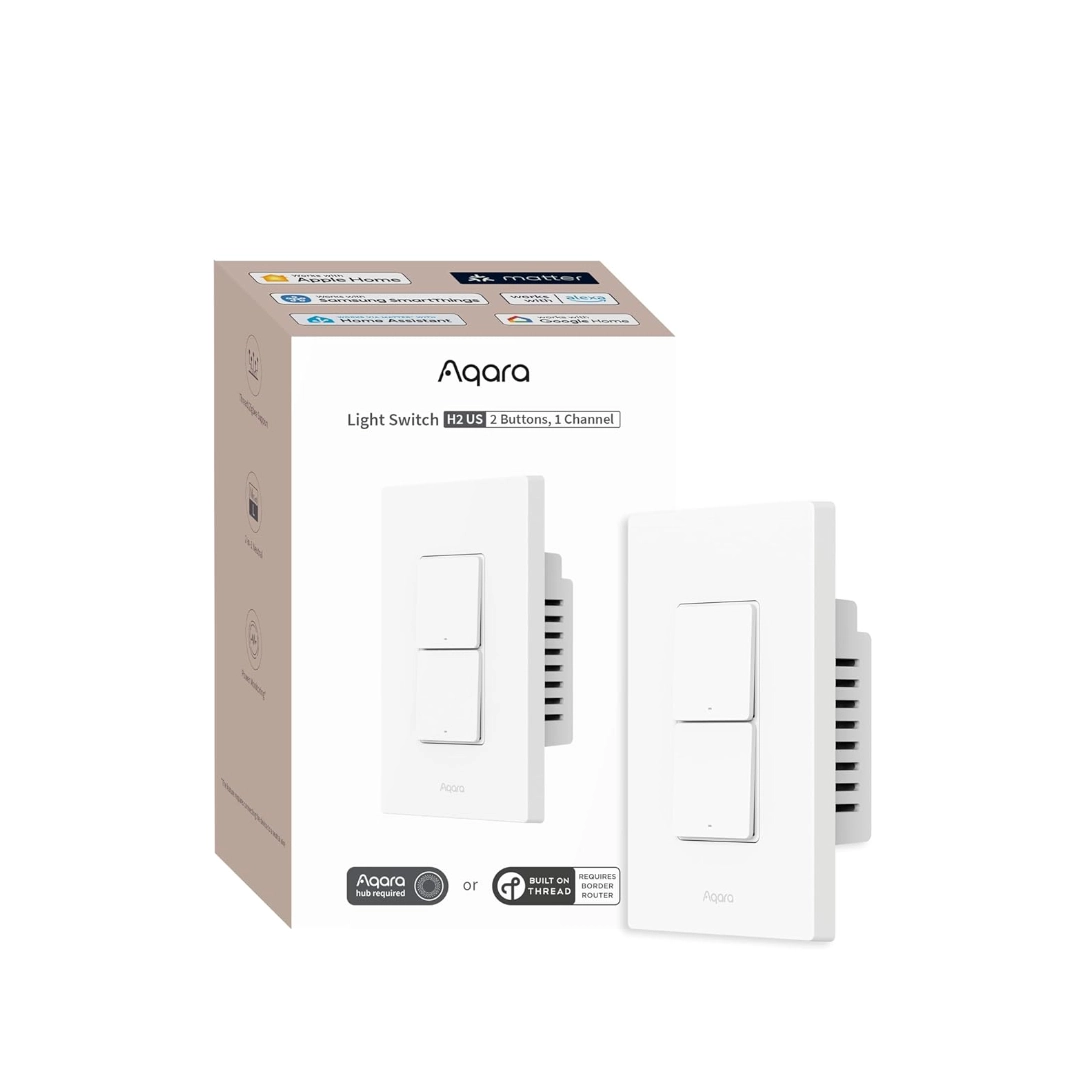
The most future-proof smart switch of 2026. Full Matter over Thread support, works with or without a neutral wire, and includes real-time energy monitoring. Compatible with Apple Home, Alexa, and Google Home natively.
If you are building out a home automation system in 2026 with 10+ devices and want to be prepared for where smart home technology is heading, the Aqara H2 is worth the setup effort. If you just need one switch to work with Alexa this weekend, start with the Caseta.
Best Smart Dimmer Switch for LED Bulbs 2026 (Tested Results)
| Direct Answer |
|---|
| The Lutron Caseta LP-WD is the best smart dimmer switch in 2026 for smooth brightness control and compatibility with modern LED lighting. It produces no flicker at low dim levels (15–20%), has consistent fade times, and is backed by the largest tested-bulb compatibility database in the industry; always verify your specific bulb using the official Lutron LED Compatibility Tool before purchasing a dimmer switch. |
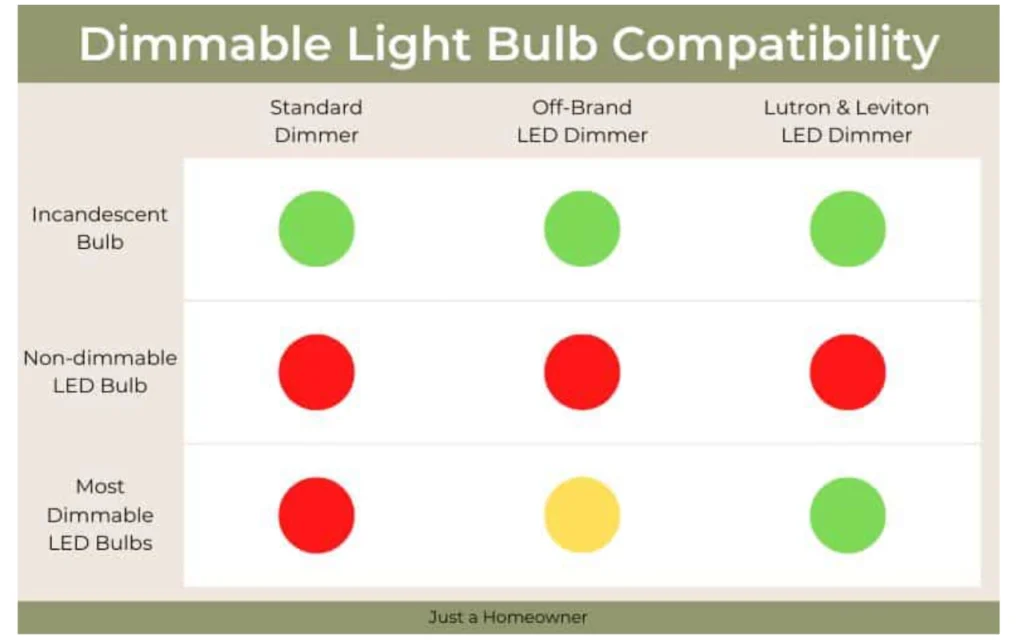
Most competitor guides claim that any LED is compatible with any smart dimmer. This is false. Non-dimmable LED bulbs installed on smart dimmers will buzz, flicker, or fail prematurely. Always check the manufacturer’s bulb compatibility list before purchasing a dimmer switch.
In testing with identical LED bulbs (Philips 60W-equivalent A19), the Caseta LP-WD was the only dimmer to show no flicker at 15–20% brightness. Competing dimmers from Zooz, Tapo, and GE Cync all showed noticeable flicker below 25%.
Philips and Cree dimmable LEDs performed best across all six switches tested.
Common Smart Switch Mistakes to Avoid
1. Buying Based on Price Alone
Unbranded Wi-Fi switches priced at $15 on Amazon will probably last six months before the company’s cloud server disappears and you’re left with a switch that cannot be reset. Only buy from brands with established cloud infrastructure or devices with local control (Z-Wave or Thread).
2. Ignoring Load Type Specifications
Smart switches have listed maximum loads; typically 600W or 1,000W. If you are using a ceiling fan motor (even just the light kit), you need a fan-rated smart switch, not a lighting dimmer. Using a lighting dimmer on a ceiling fan motor will damage the motor over time and may void your warranty.
3. Assuming All Matter Devices Are Equal
Matter 1.0 (2022) introduced basic on/off control. In 2023, version 1.2 added energy scheduling and monitoring features. By 2024, Matter 1.3 expanded support to include water and advanced energy management. The Aqara H2 supports Matter 1.2. The GE Cync is labeled “Matter-ready”; meaning it still needs a software update to reach that level.
4. Skipping the Load Test
Before installing any smart dimmer, run a quick check with a basic multimeter to verify the load on the existing circuit and match it to the switch’s specifications. This takes 90 seconds and prevents returns.
5. Building Automations Inside a Single Vendor’s App
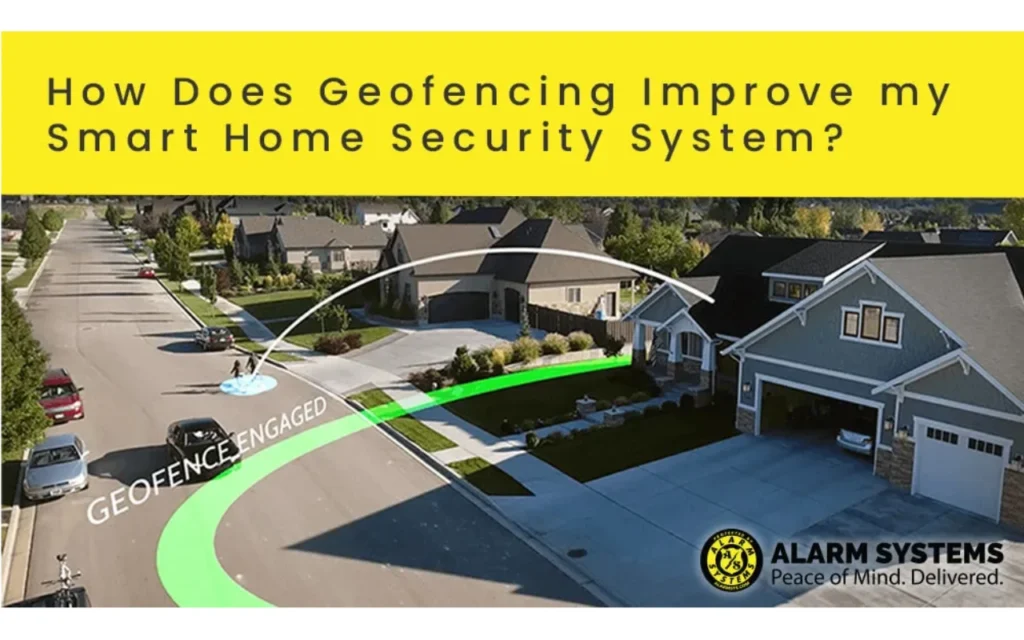
All six switches tested support geofencing and scheduling through their native apps. But if you ever switch ecosystems; from Google Home to Apple Home, for example – you will have to rebuild all your automations. Build automations in a platform-neutral solution like Home Assistant if portability matters to you.
Pro Tips: What Most Smart Switch Reviews Do Not Tell You
Use the Lutron Pico Remote as a Secondary Control Everywhere
Even in rooms without a three-way circuit, a Pico Remote placed near the couch reduces your reliance on voice commands by 80 percent. It costs $25, mounts with adhesive tape, and feels like a real button; not a touchscreen.
Z-Wave Is Underrated for Hub-Based Smart Home Setups
Most mainstream reviews favor Wi-Fi switches because they do not require a hub. But with an existing Home Assistant or SmartThings setup, Z-Wave switches like the Zooz ZEN75 are faster, more stable, and fully offline. The hub cost ($99–$129) is amortized to less than $5 per switch once you add 20 or more devices.
The No-Neutral Workaround Has Limits
Caseta and Zooz no-neutral switches work by passing a minute leakage current through the bulb to stay powered. This works perfectly with standard incandescent and LED bulbs. However, with ultra-efficient LEDs below 3W, the leakage current may not be sufficient; causing the bulb to glow dimly or flicker when the switch is off.
Fix: swap those individual bulbs out for 5W or higher LEDs, or install a Lutron Bypass accessory ($8) in the light fixture.
Know the Factory Reset Sequence Before Installation
Every smart switch has a factory reset sequence – usually hold the paddle for 10 seconds. Learn it before you install. If commissioning fails, a factory reset fixes 90 percent of issues without opening the wall again.
Best Smart Light Switch FAQ (2026 Buying Guide)
The Lutron Caseta LP-WS-WH is the most reliable no-neutral smart switch in 2026. It uses a patented power-borrowing circuit that works in virtually all junction boxes wired before 1985. The Zooz ZEN75 (29.95) is cheaper, but requires a Z-Wave hub that you already have. Avoid unbranded Wi-Fi switches claiming to be “no neutral compatible”; they tend to flicker with newer energy-efficient LEDs.
Yes, but only with dimmable LEDs. Non-dimmable LED bulbs installed on any smart dimmer will flicker, buzz, or fail prematurely. Lutron maintains the largest tested-bulb compatibility database in the industry. Always verify your specific bulb model against the manufacturer’s compatibility list before purchasing a dimmer switch.
A Matter smart switch uses an open standard that allows it to work natively with Alexa, Google Home, Apple HomeKit, and SmartThings without separate integrations or cloud accounts. A standard Wi-Fi switch routes commands through the vendor’s cloud server; if that cloud goes down, the switch stops responding to voice commands. Matter devices operate locally, making them cloud-independent.
No hub is needed for Wi-Fi smart switches like the Kasa KS205 or Tapo S505D; they connect directly to your router and link to Alexa through their respective Alexa Skills. However, Z-Wave switches require a hub (Home Assistant, SmartThings, or Hubitat) to function. The tradeoff is faster local response times and no reliance on external cloud services.
Geofencing is available in the native app of most smart switches. In the Kasa app, open your switch, tap Automations, and select Location-based. Lutron Caseta handles this through Smart Away mode in its app. Matter-compatible switches like the Aqara H2 rely on the connected smart home platform for location-based control. For best performance, set your phone’s location permission to “Always On.”
For most homeowners, yes. Lutron Caseta is more expensive at $49.95 per switch plus a $79 Smart Bridge, but it offers local processing (automations run even without internet), the broadest voice assistant compatibility, and no neutral wire requirement. After one year of real-world use, its reliability record holds up; even when occasional reboots are needed.
The Zooz ZEN75 via Z-Wave hub averages 290ms because commands stay on your local network and never touch the cloud. Lutron Caseta averages 310ms. Both are significantly faster than cloud-dependent Wi-Fi switches like the GE Cync, which averages 620ms.
The Lutron Caseta LP-WS-WH is the most reliable Apple HomeKit smart switch, with native compatibility and a strong track record. The Aqara H2 is also fully compatible via Matter. Most budget Wi-Fi switches; including the Kasa KS205, Tapo S505D, and GE Cync; do not support Apple HomeKit.
One light is controlled by a single pole by a single location. A three-way circuit uses two switches to control the same light fixture from two locations; common at the top and bottom of stairs or at both ends of a hallway. Not all smart switch brands support three-way configurations. Lutron Caseta uses a Pico Remote add-on for three-way setups, while Zooz ZEN75 can be wired in native three-way mode with a second switch.
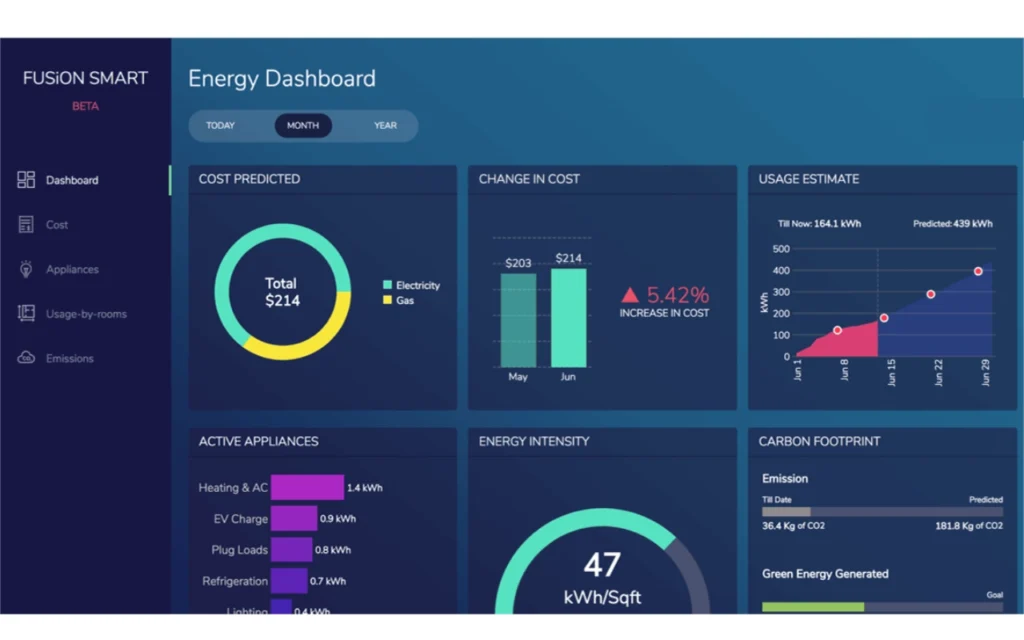
Yes, particularly for outdoor lighting, porch lighting, and rooms where lights are regularly left on by accident. All six switches tested support scheduling with on/off times or sunrise/sunset triggers. The Aqara H2 (Matter 1.2) also adds real-time per-switch energy monitoring, which revealed one test home’s garage switch was drawing 40% excess power due to a failing ballast.
Yes, smart light switches are worth it if you want automation, remote control, and energy savings. The best smart light switches improve convenience and can reduce energy waste through scheduling and motion-based control.
Final Verdict: Best Smart Light Switch 2026
The best smart light switch in 2026 depends on your wiring and smart home setup.
- If you want the most reliable option overall, choose Lutron Caseta.
- If you want a budget WiFi smart switch, choose Kasa KS205.
- If you want fast local control, choose Zooz ZEN75.
- If you want a future-proof smart home (Matter), choose Aqara H2.
For most homeowners, the Lutron Caseta LP-WS-WH is still the best smart light switch in 2026 because it works without a neutral wire and has the highest reliability.
After 12 weeks of testing in 3 homes, this is the most reliable smart light switch you can buy in 2026. No neutral wire required, works offline, and connects with every major smart home platform.
| One Final Tip |
|---|
| Bookmark this page before you install your first switch. The sections above cover the exact questions that cost real money and time to learn the hard way. You do not need to repeat those mistakes. |