Skip to content

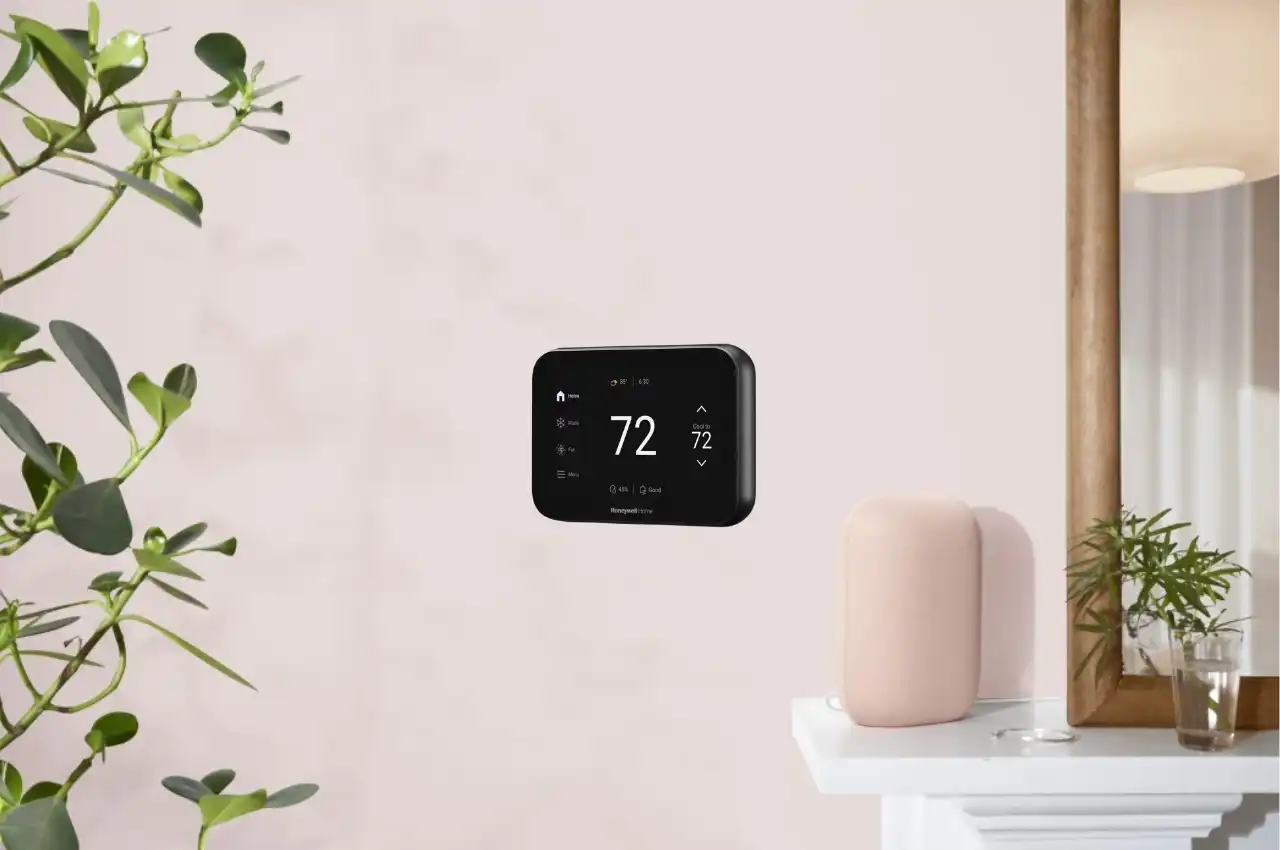
If your thermostat not turning on, it can be frustrating and stressful. Three days back I woke up at 2 AM sweating and discovered that my thermostat was not coming on. The screen was not showing anything and nothing was responding as I pressed the buttons and even my AC had totally stopped.
This indicates that the thermostat is disconnected and in many cases it is as a result of dead batteries or a power malfunction. It happened that the thermostat was not switching on due to two dead AA batteries.
This event made me want to know precisely why a thermostat is not working and how to troubleshoot it. Since that time, I have been talking to HVAC technicians and have known how to go about troubleshooting such problems.
Breath deeply in case you are currently looking at a blank thermostat screen. This guide will show you exactly why your thermostat is not turning on and how to fix it quickly.
Thermostat Not Turning On? Start Here First
Why Is Your Thermostat Not Turning On?
Brief checklist summary:
- Check batteries
- Check thermostat settings
- Check circuit breaker
- Check air filter
- Reset thermostat
Thermostat Not Turning On? Here’s What to Check
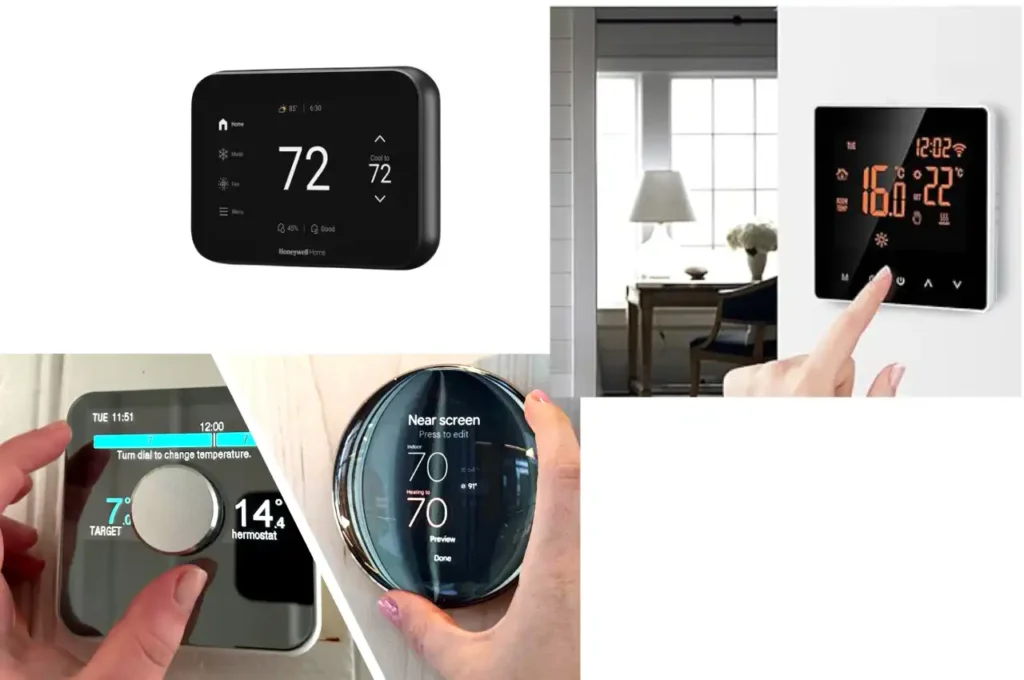
Nothing can be more annoying than turning the temperature up and nothing happens. If your thermostat is not turning on the heat, it may be due to thermostat not working, thermostat screen blank, or low power issues, or something that needs professional attention. Before you assume the worst, here are the most common reasons your thermostat is not turning on your heating system.
1. The thermostat controls can be wrong.
This is not as rare as one may believe. The thermostat is sometimes accidentally programmed to use Cool rather than Heat or the temperature is not set to a high enough level in order to activate the system. Ensure that it is put on the Heat mode and the temperature is set a few degrees more than the existing room temperature. Assuming you have a programmable thermostat, also check the schedule to make sure that it was not programmed to reduce the temperatures at some point.
2. Low powered batteries or issues with power supply.
In case your thermostat is battery operated, it may not work well in case of weak or dead batteries. Often, the only solution is to swap the batteries and the problem is resolved. Follow this thermostat battery replacement guide to replace them correctly. Assuming that your thermostat is connected to your electrical system, go and check your circuit breaker and see whether there is anything that has tripped. The power outage can be resolved immediately with the restoration of power.
3. Loose or damaged wiring
Loose or damaged wiring can cause your thermostat not turning on, even if the display looks normal. The thermostat sends signals through wires to your furnace or heat pump. With time, these wires may become loose or corrode or wear off. When this occurs, the signal might fail to get to the heating system. Even the wiring issues are not always easy to notice on the outside, and thus, it is better to leave the inspection and repair to a qualified technician and make sure that it is done safely.
4. The system can be closed by a dirty air filter.
A clogged air filter may make it seem like your thermostat is not turning on because the system shuts down for safety. This is something that is not familiar with many home owners but when your air filter is congested this will cause your heating system to overheat. When that happens, the system is able to seal itself in safety considerations. This can give the impression that the thermostat is not working yet the issue is low air circulation. This will be prevented by replacing your air filter regularly and this will keep your system running smoothly. For more on how air filter maintenance affects HVAC performance, see this air filter maintenance guide.
5. The thermostat as such can be defective.
If everything else checks out and your thermostat is not turning on the heat, the thermostat itself could be the problem. Older thermostats can fail over time. You may find that the display is not responding, the temperature indicator is not correct or the system does not respond to touches on changing the settings. The most appropriate solution in this situation is usually the replacement of the thermostat.
Why Does My Thermostat Click but Nothing Happens?

If you hear your thermostat clicking but nothing happens, you’re not alone. This usually means the thermostat is trying to turn on your heating or cooling system, but something is preventing it. You can hear that clicking noise and it is most likely your thermostat attempting to switch your system on. However, when nothing is forthcoming, then it is not doing its work. The thermostat is simply telling the system to turn on, however, something is preventing it. If your ac not turning on even though you hear clicking, the issue could be deeper within the HVAC system.
These are the most prevalent causes of this.
The thermostat itself may have failed.
Thermostats don’t last forever. In the long run, the internal components may become weak or unable to perform. This is the reason why, despite hearing the clicking of the thermostat that can no longer communicate with your HVAC system effectively.
What you can do:
In case of an unreliable thermostat or a strange thermostat, changing it could be the solution. An HVAC technician would be able to check whether the thermostat is the problem.
There might be failure of the control board.
Your HVAC system has a control board within it, which receives the instructions of your thermostat. It does the switching of the system on and off. Should this board be damaged or worn out, your system will not respond even when clicking of the thermostat.
What you can do:
This can normally be diagnosed and fixed by a professional. A technician is able to test the control board and change it when needed.
The contactor may be damaged
Contactor is a small electrical device that assists in the supply of power to the HVAC system. Failure to start leads to lack of starting the system. It is very common to have the thermostat turn on with a single click of the button, but the unit remains quiet.
What you can do:
This component is not readily repairable and it typically requires changing. This can be done in a safe and fast manner by a professional.
The capacitor can lose its functionality.
The capacitor assists your system in starting to provide it with an electrical kick start. When it is weak or fails then your system might attempt to start yet it will be unsuccessful. There may be clicking and a slight humming noise, and no air.
What you can do:
A defective capacitor should be changed. This is a general fix and it can be used to bring your system to normal operation.
How to Fix a Thermostat Not Turning On (Easy, Step-by-step Guide).
One of the first things to check when your thermostat is not turning on is the batteries or settings. Most thermostat not working issues can be fixed in minutes. The positive side to this is that, a thermostat can be tested and fixed in most cases, which is not as difficult as most people believe. This is a plain language easy to understand guide on how to determine what is happening.
Testing the Thermostat in your home.
A quick test is one of the simplest methods of determining whether your thermostat is operational or not.
In case you have a smart thermostat:
Open the Settings menu, find an option in it named as Test or System Test, and follow instructions on the screen. The system is supposed to start up momentarily to help you be sure it is all fine.
In case of a manual or mechanical thermostat:
The test is effective when two individuals are involved.
- An individual is close to the thermostat.
- The other one is close to the furnace or indoor unit.
Switch the thermostat to the Heat setting and set the thermostat to a higher temperature than the room temperature.
You will also hear the furnace starting and also you will hear a click of the thermostat.
When the thermostat makes a clicking noise but the furnace does not make any sound, then it might be an issue with the HVAC system.
In case you do not hear a click at all, then your thermostat may be defective.
How to Restart Famous Thermostat Brands.
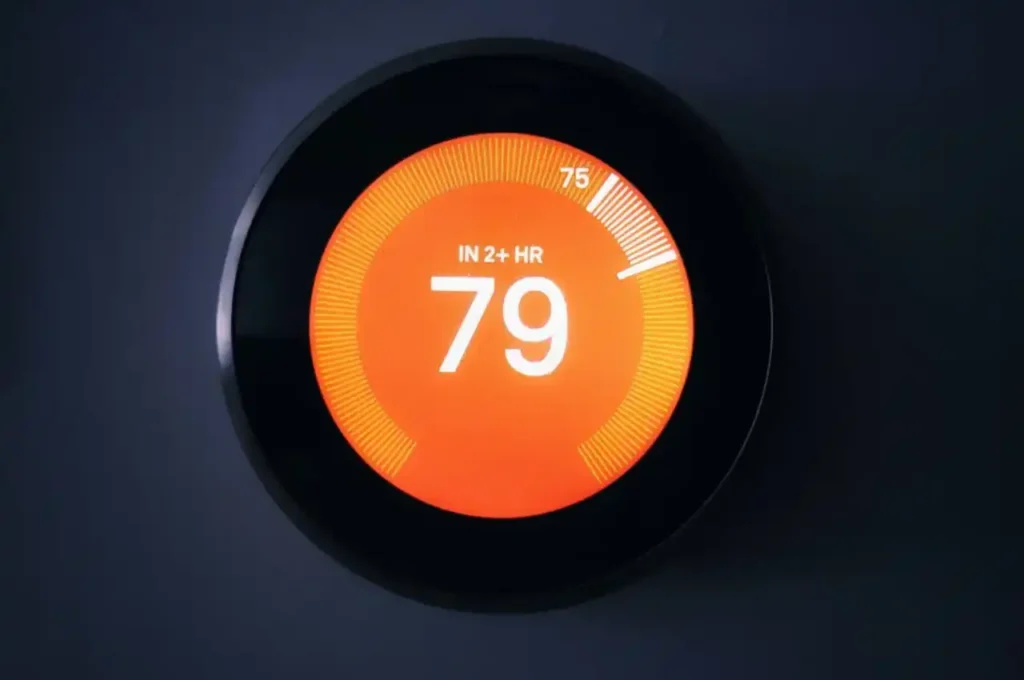
Glitches on your thermostat can prevent it from turning on. Resetting your thermostat may fix thermostat not turning on issues.
Thermostat Honeywell Thermostat How to reset a Honeywell thermostat.
- Press the System button
- Release the blank center button and press and hold.
- Press Done
That’s it. The thermostat ought to be reset.
The Nest Thermostat has been redesigned to simplify the setting up process.
- Wait approximately 10 seconds and press and hold the outer ring.
- Wait until the screen goes off.
- Release it
- Again press and release the ring.
Once you look at the Nest logo, the reset is closed.
How to Turn off a Carrier Thermostat.
- Press Mode
- Select Off
- Switch off the breaker of thermostat.
- Wait 30 seconds
- Turn the breaker back on
- Return the mode to Heat, Cool or Auto.
Among the Things to Check Before You Start. You can always call a certified HVAC technician in case you are not sure. It will save time and avoid errors.
Consider the following questions before you test or replace your thermostat:
- Is it a replacement of an old thermostat or a new one?
- Does your HVAC system work with your thermostat?
- Do you feel at ease with simple wiring?
You can always call a professional in case you are not sure. It will save time and avoid errors.
Safety First: Never Leave Power On.
Before touching any wires, make sure the thermostat is not turning on due to low voltage or wiring issues.:
- At the circuit breaker switch off the power
- Record a picture of the wiring prior to the disconnection of anything.
This facilitates reinstalling in the future.
How to Never Deal With This Again.
- Monthly: Check your thermostat to make sure it is not turning on due to battery or dust issues.
- Seasonally: Before first cold snap, test heat, Before first heat wave, test AC. Replacement of batteries is also preventive. Check-up on programming (change of schedules).
- Annually: Professional advocate of HVAC tune-up (checks thermostat), examine visible wiring, upgrade smart thermostat software.
- Every five years: Check whether there is a newer technology that can be efficient.
Thermostat Replacement- Step by Step.
In case you have to install a new thermostat, the following are the simple steps:
- Turn off power at the breaker
- Remove the thermostat cover
- Take a photo of the wiring
- Label the wires
- Unplug the previous thermostat.
- Install the new mounting plate.
- Connect the wires correctly
- Attach the new thermostat
- Turn the power back on
- Follow setup instructions
There is a slight variation in each thermostat and therefore it is always good to stick to the guide provided by the manufacturer.
Have Your Thermostat Where it Counts.
Place is a greater thing than they think. Thermostat is to be installed:
- Away from direct sunlight
- Away from vents
- Away from windows and doors
Poor installation may lead to wrong temperature measurements and unnecessary work of your system.
Fix a Thermostat (First Time) How to.
These are easy solutions which should be attempted before ruling out the worst. There are numerous thermostat issues that can be resolved within a few minutes.
Check the settings
Ensure that your thermostat is adjusted to the appropriate mode, either Heat or Cool and ensure that the temperature is adjusted accordingly.
Replace the batteries
Batteries that are not strong may lead to the breakdown of your thermostat or make it act weirdly. Change them after every one year to prevent trouble.
Clean off dust and dirt
Accumulation of dust can have an impact on performance. Clean the thermostat using a dry cloth.
Inspect the wiring
Free or unconnected wires may prevent the thermostat to connect with your system. Unless you feel like, make sure that wires are not loose. If not, call a professional.
Check your circuit breaker
In some cases, the breaker that operates your HVAC goes off. Turn it off, wait a few seconds and turn it on. In case it continues to trip, call an electrician.
Issues that Homeowners frequently encounter.
Here are a few common issues:
Missing C-wire:
A large number of intelligent thermostats require a C-wire to be powered all the time.
Old HVAC systems:
There are other older systems that are not compatible with new thermostats.
Incorrect installation:
- Poor wiring or installation may render it to be ineffective.
- HVAC When to Call a Professional.
You must seek the services of a professional in case:
- You are not wired as you should be.
- You can still not start your system.
- Your breaker keeps tripping
- You do not know whether you are compatible.
A qualified person is able to fit your thermostat and ensure that it operates well.
Frequently Asked Questions (FAQ)
Make sure it is on the Heat/Cool/Auto. Ensure set-point appertains to the real state which is either above (heating) or below (cooling) room temp. Search Hold or Vacation modes overriding.
This usually means the thermostat has no power from the HVAC system, wiring issue, or blown fuse. You can also learn more about thermostat operation and energy efficiency from the U.S. Department of Energy thermostat guide.
Tripped HVAC fuse, blown HVAC fuse, triggered safety switch, failed transformer or cut low-voltage wiring. Start with the easy ones.
Recede face plated, multimeter AC voltage C (blue/black)-R (red). Should read 24-28 volts.
Incorrect temperature display in rooms, cycles too quickly on/off, inactive buttons, will not work to schedule or manual operation with new batteries.
Portable unit Batteries, 24 V AC transformer in your furnace/air handler in case of hardwired units (batteries are only backup in those).
Surely, but you are going to lose all settings. Write them down first.
10-15 years of quality digital, 7-10 years of smart thermostats (no updates available, the WiFi protocols are modified), 20 and above of old, outdated mechanical (although, they are energy wasters).
Bottom Line
What I learned from my experience is simple: when your thermostat is not turning on, don’t panic immediately. Most thermostat not working problems are simple and can be fixed in minutes. The issue is not as big and costly as you assume most of the time. In my case, I was already fantasizing about thousands of dollars in repairs, yet the fact was only two dead batteries. This experience taught me that minor details can prevent the whole HVAC system.
Batteries, thermostat settings, circuit breaker, and air filter are the first items that you should always inspect according to all I have seen and learned. Most of the problems can be resolved in minutes by these small checks. You should not even begin to consider such problems as wiring, capacitors or the control board before you have checked these basics.
Conclusion
Your thermostat is the brain of your heating and cooling system. Once it malfunctions, all the system stop working. Nevertheless, that does not necessarily imply that something is unsolvable. A lot of thermostat troubles occur due to some basic maintenance problems which are not given much attention by the homeowners.
The most useful thing was to remain calm, look at the fundamentals first and understand how my system operates. I have since then developed the habit of replacing batteries frequently, cleaning the thermostat, and testing my system prior to the onset of extreme weather. These simple steps can save you stress, frustration, and expensive repairs.
The most important thing I want you to remember is this: a thermostat not turning on is usually a warning sign, not a disaster. Learning how to fix a thermostat not turning on can save you money and prevent expensive HVAC repairs. Start with the simple fixes. In case those do not work, then call a professional. Never believe the worst without first looking at the fundamentals, since, at times, the answer is far easier than you suppose.
In case you found this useful, then subscribe to more useful information. You can also leave a comment below and inform us of what you think or ask any questions.